
Shift planning without the back-and-forth –clear, simple, and always in sync
We know how much time and energy a messy schedule can drain from your day. That’s why we made shift planning in Timebutler as straightforward as possible: create shifts, assign your team, publish – and everyone knows when they’re working.
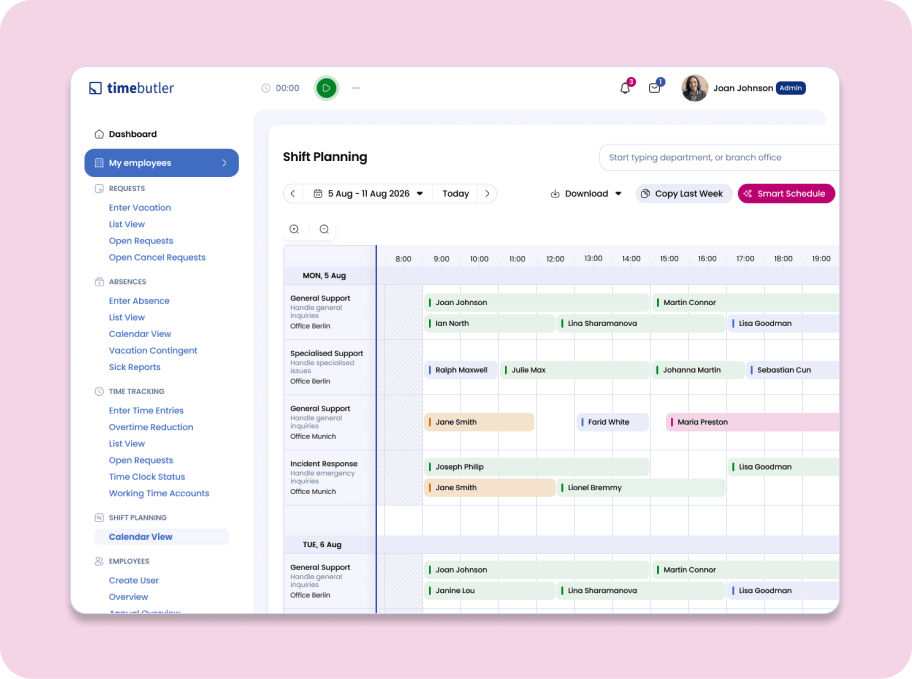
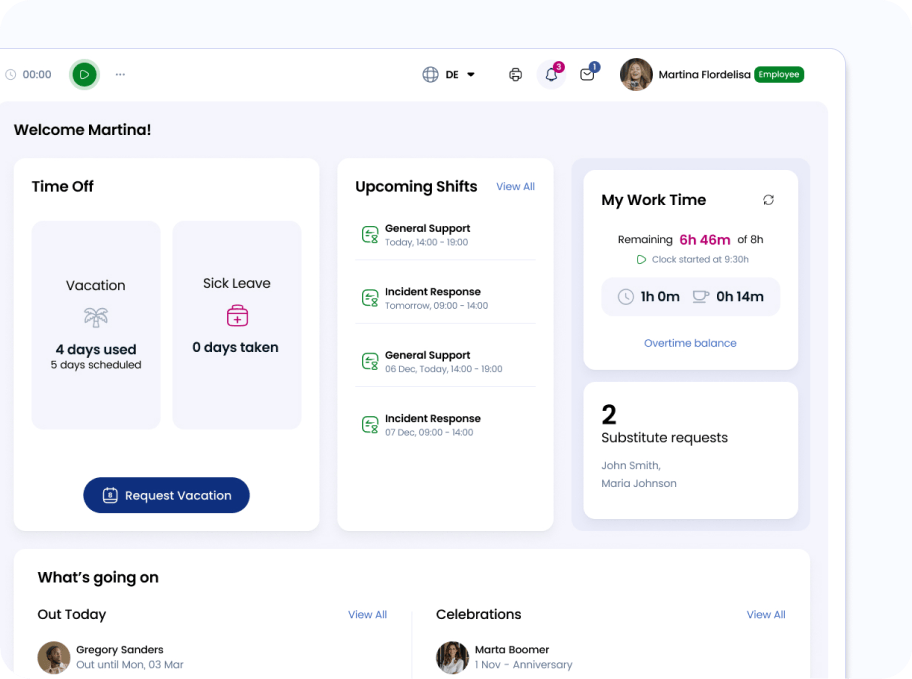
Your full schedule – always at a glance
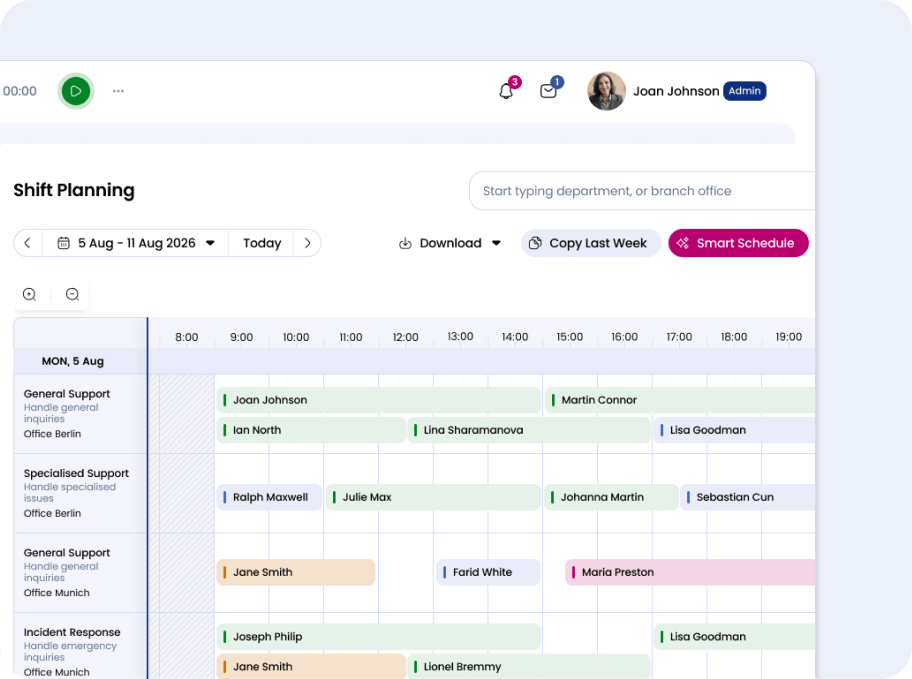
Open Timebutler and see immediately: who’s working when, which shifts are already covered, and where there are still gaps. The weekly calendar gives you everything you need – no searching, no clicking through multiple screens.
Flip between weeks effortlessly, whether you’re planning ahead or reviewing the past. You always have a complete picture of your team’s work schedule.
Create a shift plan in minutes
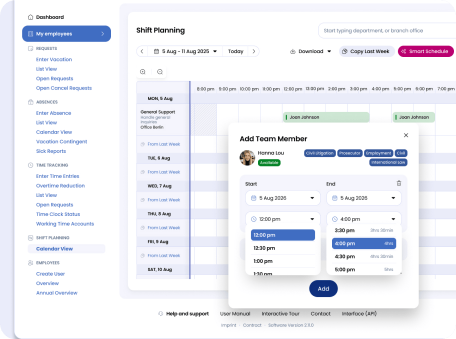
Adding a new shift takes less than 30 seconds: just set a title, date, time, department, and location. Need to make a change? No problem: shifts can be updated or removed at any time while you’re still in draft mode, before your team sees anything.
Does your schedule look similar week to week? Simply copy the previous week or carry over individual days – then only adjust what’s actually changed. It saves time as you’re not starting from scratch every Monday.
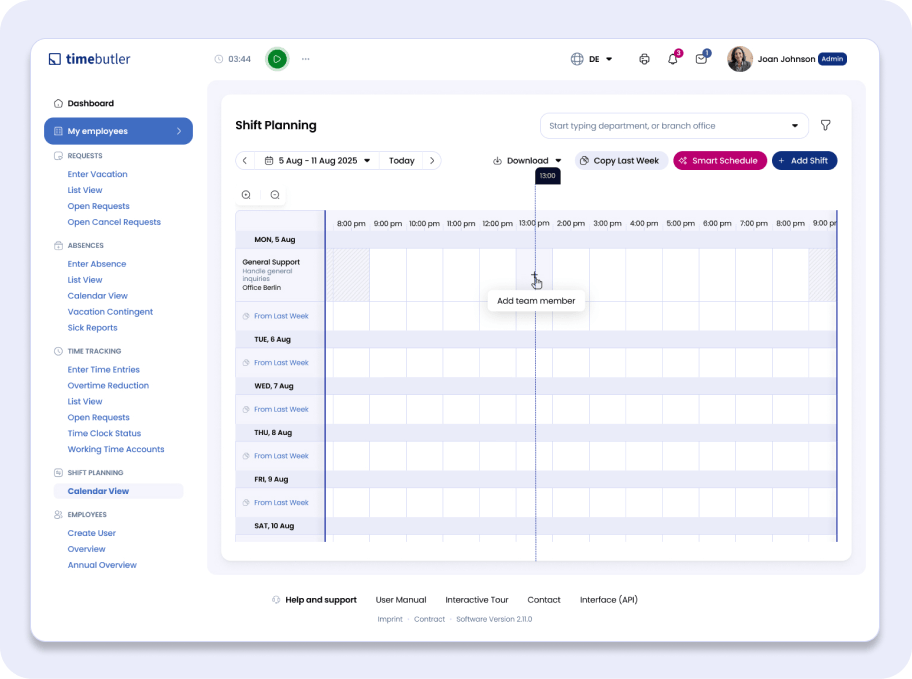
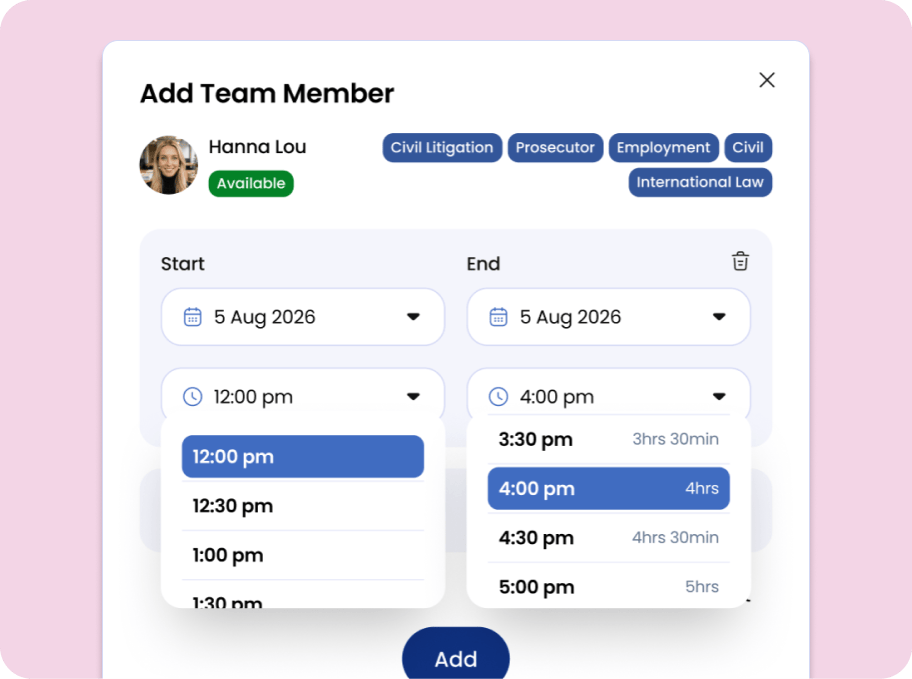
Always know who's actually available
Before you assign someone to a shift, Timebutler shows you right away whether they’re free that day – whether they have time off booked, are on sick leave, or have already been assigned to another shift. No back-and-forth messages, no last-minute surprises.
Employees from the relevant department or location automatically appear at the top of the selection list, making it easy to find the right people quickly.
Plan at your own pace – publish when you're ready
New shifts in Timebutler are only visible to you and other managers by default. Your team sees nothing until you decide to publish. When the schedule is finalized, one click publishes the entire week, and all assigned employees can see their shifts instantly.
Changed your mind after publishing? For current and future weeks, you can unpublish and adjust at any time. Past weeks stay on record as a reliable audit trail – important for documentation and compliance.
Delegate planning, without losing oversight
You can hand shift planning responsibilities to team leads and managers without giving up control. Each manager plans their own area, seeing and editing only the shifts that fall within their scope. As an admin, you always have the full picture across the entire organization.
Multiple managers working on the same week? No problem – each person only publishes the shifts they’re responsible for. Parallel planning processes stay clean and organized, with no overlap.
Breaks, partial shifts, multiple people – Timebutler handles it
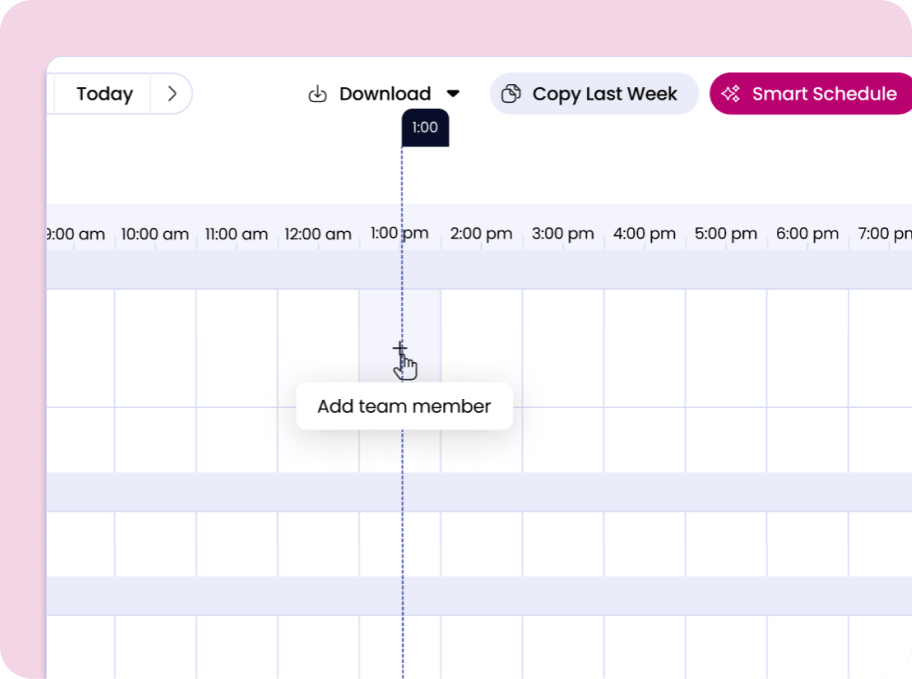
You can assign as many employees as you need to a single shift, each with their own start and end times. Full shifts and partial shifts are captured equally cleanly – no workarounds needed.
Breaks are easy to map out using split time blocks – for example 08:00-12:00 a.m. and 01:00-5:00 p.m.. Night shifts that cross midnight are detected automatically and displayed correctly across two days. Your shift planning tool adapts to how your team actually works.
How shift planning works in Timebutler
Whether you’re in retail, healthcare, or any other industry – wherever teams work in set time windows, a clear and structured schedule makes all the difference. Here’s how it works:
Create a shift
Set a title, date, and time. Optionally add a department and location – Timebutler will automatically suggest the best-fit employees for you.
Assign your team
Select employees for the shift. The availability indicator shows you immediately who’s free and who isn’t. Multiple assignees and individual time slots are no problem at all.
Publish
When the schedule is ready, publish with a single click. Your team can see all their shifts directly in Timebutler – up to date and accessible from anywhere.
Ready to make shift scheduling easier for your team?
Try Timebutler for free – no credit card, no commitment. See for yourself how much smoother workforce scheduling can be.
What's coming next
We’re continuously improving Timebutler’s shift planning, always guided by what our users actually need. Here’s an early look at what’s on the way:
Shifts and recorded working hours will be more closely linked, so your planning reflects reality and you always have the full picture.
Planning shifts for larger groups will become even faster – without having to add each person one by one.
You'll be able to fill shifts more precisely by matching employees based on their skills and qualifications.
FAQ’s about shift planning with Timebutler
1 What exactly is a shift in Timebutler?
A shift is a planned work period with a date, start time, and end time. You can optionally add a department and location – Timebutler will then show the most relevant employees at the top of the selection list. Multiple employees can be assigned to the same shift, each with their own working hours. Night shifts that span midnight are automatically detected and displayed correctly across two days.
2 Who can create and edit shifts?
Admins have full access to all shifts across the organization. Managers can create and edit shifts – but only within their own area: shifts they created themselves, or shifts where all assigned employees fall within their viewing scope. This makes it easy to delegate scheduling to team leads while keeping oversight where it matters.
3 When can employees see their schedule?
Not until you publish it. Until then, the plan is only visible to you and other managers – so you can adjust freely without anyone seeing a half-finished schedule. Once you click “Publish all shifts”, all assigned employees can see their shifts under “My Data → Shifts → Calendar View”. Whether employees can also see their colleagues’ shifts can be configured in your company settings.
4 Which industries is shift planning suited for?
Any industry where teams work in fixed time windows – retail, hospitality, healthcare, manufacturing, logistics, and more. Wherever a clear and reliable work schedule matters, Timebutler helps make the planning process simpler and less stressful. And it doesn’t require a complicated setup or hours of onboarding to get going.
5 Can I assign the same person to multiple shifts?
Yes, absolutely. If someone is covering two partial shifts with a break in between, simply assign them to both time blocks. Timebutler will always show their current availability and flag it if they’re already scheduled or absent that day. The final call is always yours.
6 What happens when I delete a shift?
When you delete a shift, all associated assignments are automatically removed as well. Employees will no longer see the shift in their view. For past weeks, we recommend leaving shifts in place – they serve as a historical record and can be valuable for documentation and compliance purposes.