
Transfer working time and absences from Timebutler to DATEV quickly and without manual data transfer. With the DATEV export, you create a ready-to-use DATEV ASCII file, which you then import into your DATEV software, for example DATEV LODAS. No live sync: you decide when you export your data and import it into DATEV.
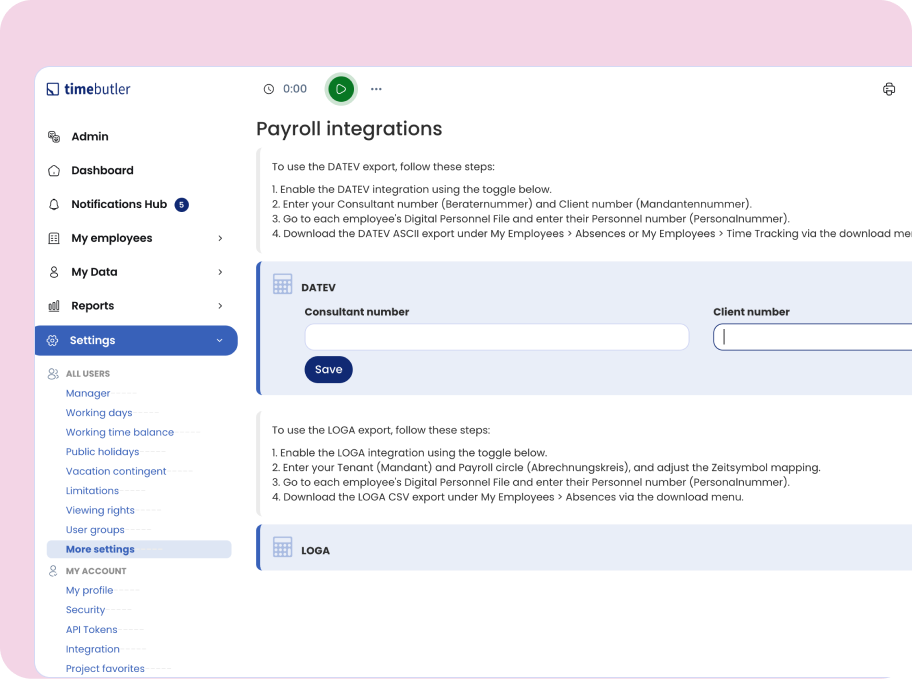
Enter your DATEV consultant number and client number once, centrally in Timebutler. The details are automatically applied to your entire team, so you don't have to maintain them for each person individually. If one person needs different DATEV data, you can enter it directly in their employee file. The DATEV settings can be managed by Admins. Manual data transfer is one of the most common finance admin pain points. The DATEV integration removes it.
Find out how to easily export working time and absences for DATEV. Our team will answer your questions or show you the features in person, in a demo.
With every DATEV export, Timebutler automatically creates a ZIP file with the ASCII file for the DATEV import and the matching INI file. If important information is missing, for example an employee number, you also get a _warnings.txt file. That way you spot possible issues before importing into DATEV and can add the missing data right away.
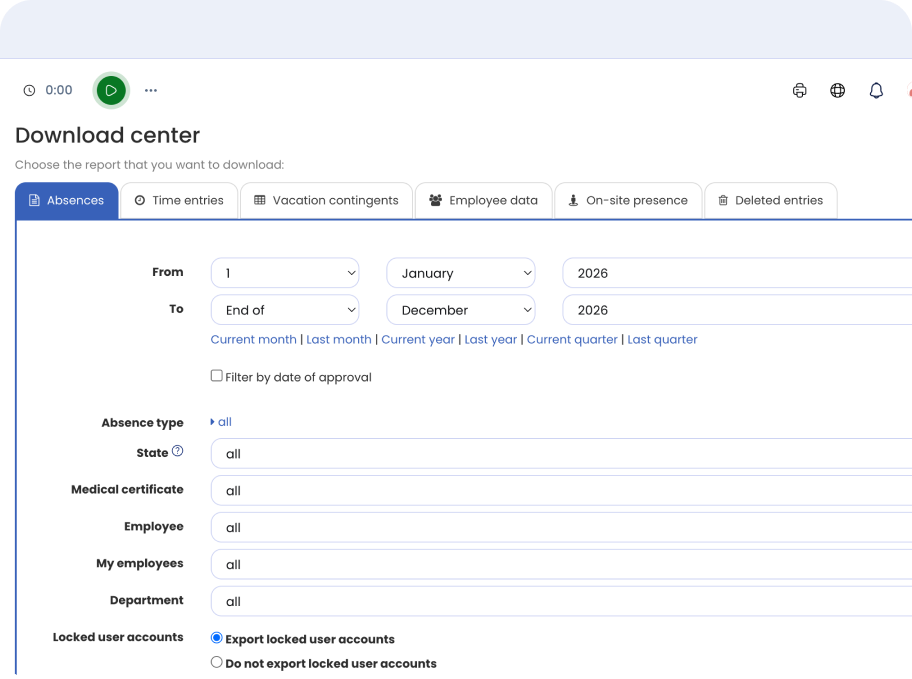
Want to use your data for more than just DATEV? In Timebutler's Download center, you can also export absences as a CSV file and process them further, for example in Excel. Filter your data flexibly by date range and absence type, for example vacation from last quarter or sick-leave entries for a year. That way, you can use absence data for internal analysis, reports, or other processes too.
With Timebutler, you set up your DATEV export in three simple steps:
Turn on DATEV in your settings and enter your DATEV consultant number and client number.
Open the DATEV section in the employee file of every person whose data you want to export, and enter their employee number for DATEV.
Export working time and absences for DATEV in just a few clicks.
Try Timebutler for free, no credit card and no risk. Set up the DATEV integration in a few minutes and skip the manual transfer of your data.