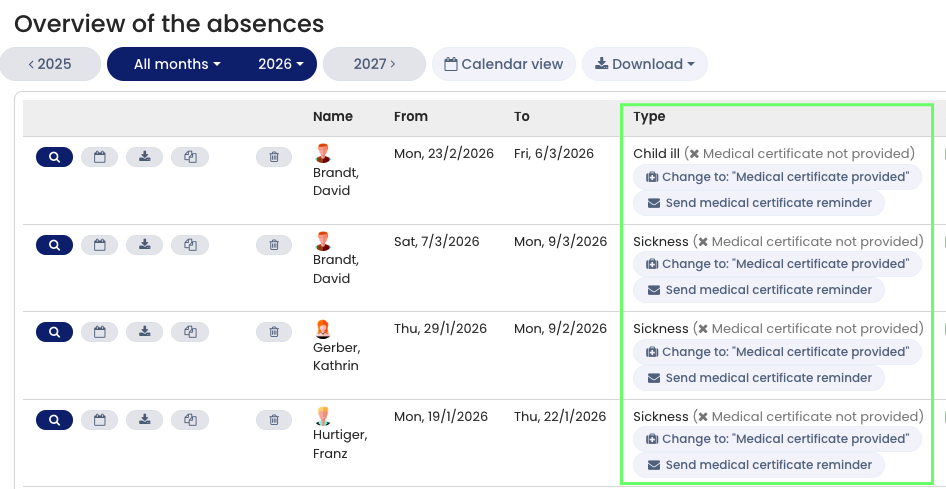
Timebutler allows you to send reminder emails to employees for sick leave entries where the medical certificate is still missing.
Sending a Reminder
- Log in to Timebutler as an admin or supervisor.
- Click Employees > Absences > Sick reports
(alternatively, go to Employees > Absences > List view). - For each sick leave entry without a medical certificate, a button labeled “Send medical certificate reminder” is displayed.
- Click the button to send a reminder email.
Timebutler will automatically send an email to the employee requesting that they submit the missing medical certificate.
Reminder Button Behavior
Timebutler stores, for the duration of your current session, which employees have already received a reminder.
- After sending reminders and reopening the list view, the reminder button will no longer be displayed for those specific sick leave entries.
- If you log out of your Timebutler account and log back in, all reminder buttons will be visible again.
Screenshot: Send medical certificate reminder.