If an employee joins or leaves the company part-way through the year, their vacation entitlement for that calendar year is reduced accordingly. The same applies when an employee’s working days are adjusted — for example, if they reduce their working week from Monday to Friday to Monday, Wednesday, and Thursday only.
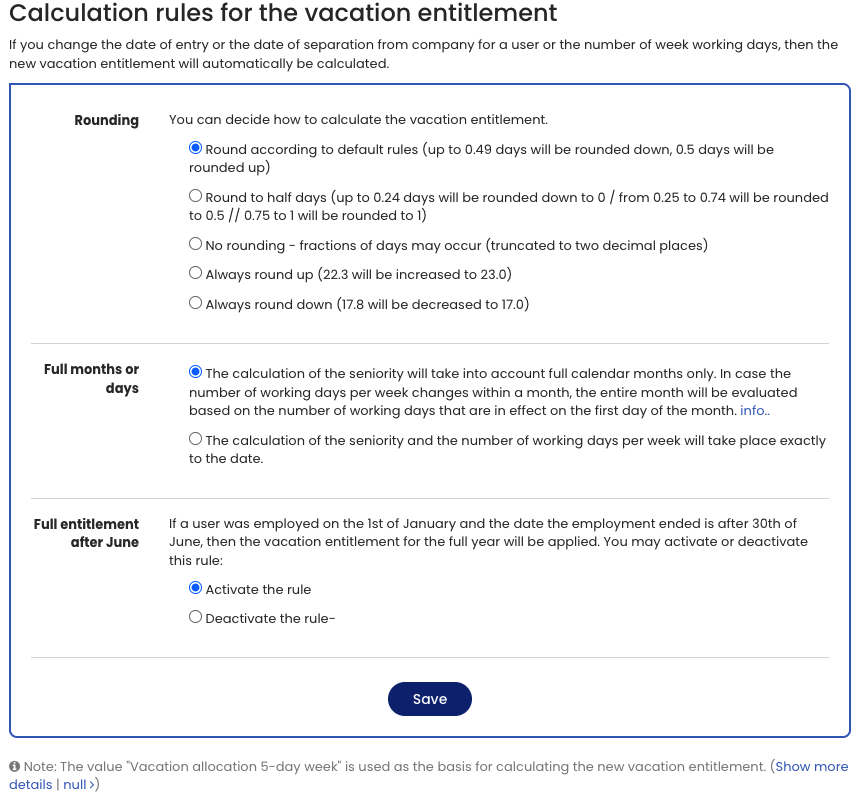
In these cases, Timebutler will automatically recalculate the vacation entitlement. You can customize the rules used for this calculation.
To adjust the settings, sign in to Timebutler as an admin, click Settings > More… at the bottom left, then click Calculation rules for the vacation entitlement on the right.
Screenshot: Settings for calculating vacation entitlement