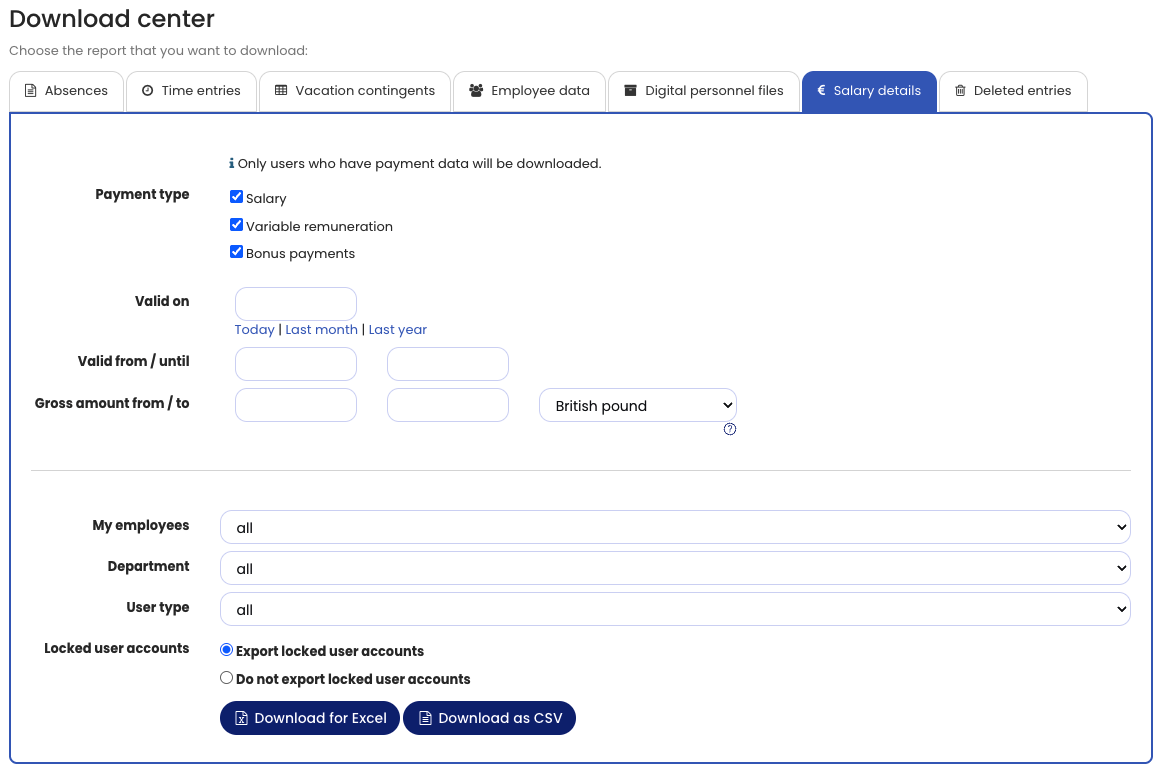
You can download data from Personnel files and Salary data via the Download Center as an Excel file or CSV file.
Download Personnel Files or Salary Data
- Log in to Timebutler as an Admin or Manager.
- Go to Reports > Download Center.
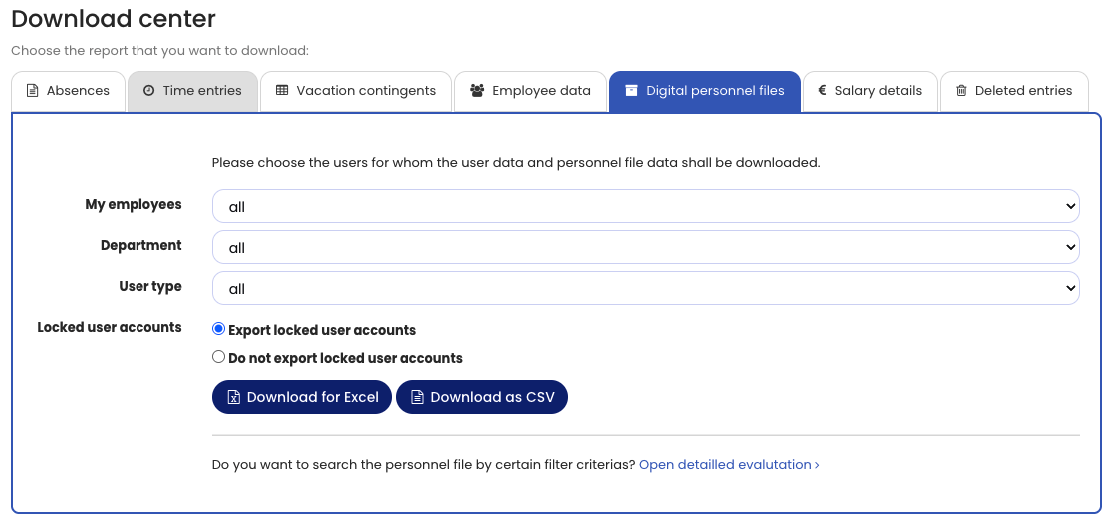
- Open the Personnel files or Salary data tab.
You can then download the data as:
- Excel file
- CSV file
Detailed Analysis
You can download personnel files directly via the Download Center.
For more advanced filtering options, use the Analysis function.
This allows you to search for personnel files based on specific criteria and download them.
Note
The Report Center is always available to Admins. Managers can access the Report Center only if an Admin has enabled access. Employee users do not have access to the Report Center.
Screenshots
Personnel files download
Salary data download