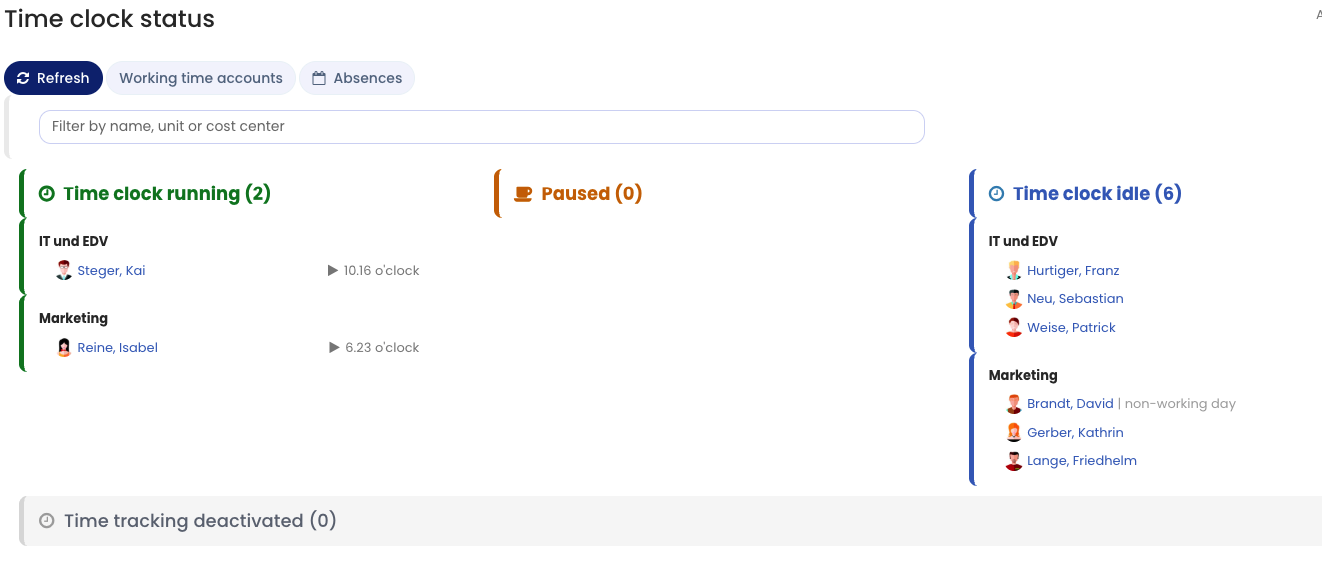
If time tracking with the time clock or the time recording terminal is enabled, you can view the live time clock status of employees.
Admins
As an admin, after you log in to Timebutler you see a box at the top right of the dashboard with a summary of how many time clocks are running, how many are idle, and how many are on break. Click the box to open the live time clock status of all employees, with details about start time, breaks, and absences.
As an admin, you can also open the live time clock status by clicking Employees > Time tracking > Time clock status on the left.
Managers
As a manager, you can open the live time clock status by clicking Employees > Time tracking > Time clock status on the left.
Employee users
As an employee, you can open the live time clock status by clicking Colleagues > Time clock status on the left.
Note that an admin must enable the view permissions for the time clock status for you.