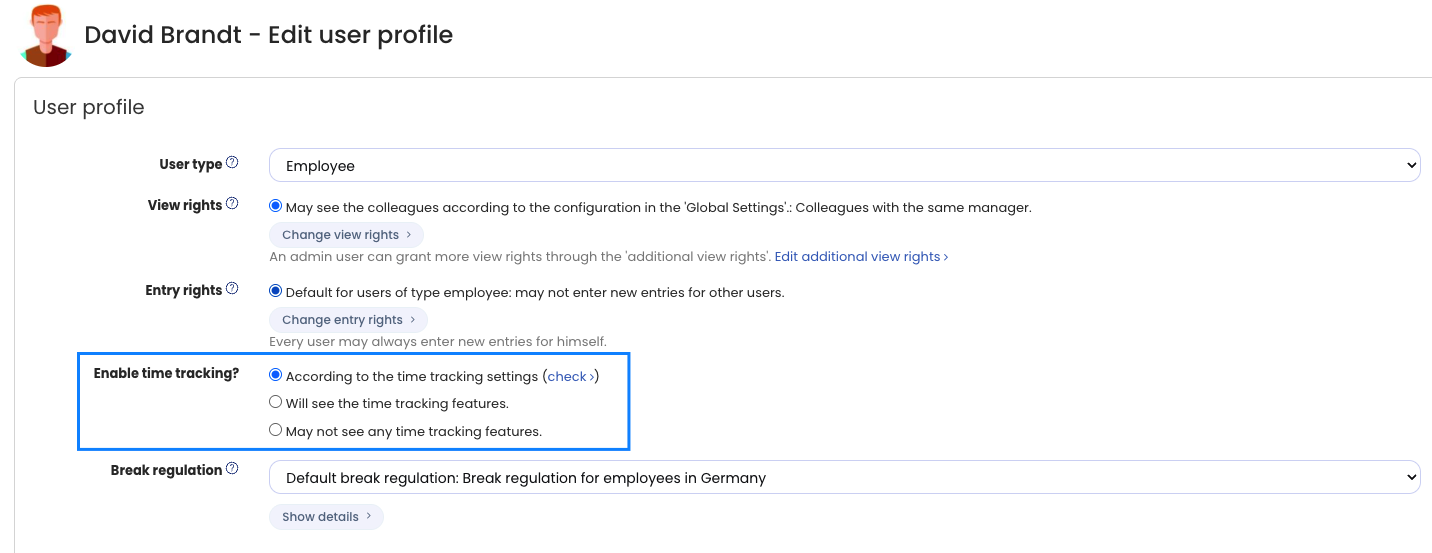
Managers often work with trust-based working time and, unlike employees, do not record working times. Nevertheless, managers must be able to view and edit the working times and working time accounts of their employees. You can disable time tracking for these managers.
Even if time tracking is disabled for managers, they still see the time entries and working time accounts of the employees they have view permissions for.
To disable time tracking for managers, log in to Timebutler as an admin and click Employees at the top left, then Overview below the smaller Employees. In the row of the desired user account, click the green pencil icon (= Edit). At the top, set the Enable time tracking? option to May not see any time tracking features. Save the change by clicking the blue Save button at the very bottom of the page.