
From your dashboard, you always have access to the most important functions in Timebutler.
The left navigation bar always gives you access to all Timebutler functions, divided into four areas:
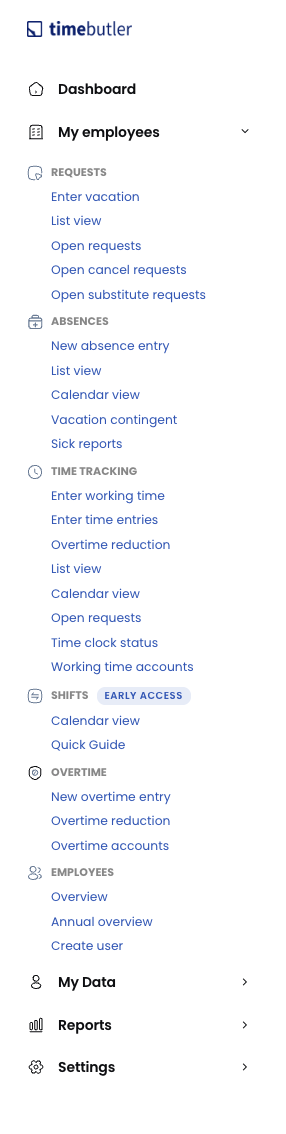
Employees
In the Employees area, you find all functions and information about your employees. You can open the calendar view for your team, approve or reject pending requests, enter new absences, view working times, and much more (note: only the functions that the admin has enabled for you are available).
My data
In this area, you find everything about your own data: your vacation balance, your absences, your working times, and so on.
Reports
In this area, you can access reports and evaluations - provided your admin has enabled this area for you.
Settings
In this area, you find various settings for tailoring Timebutler to your needs and for changing employees’ settings.