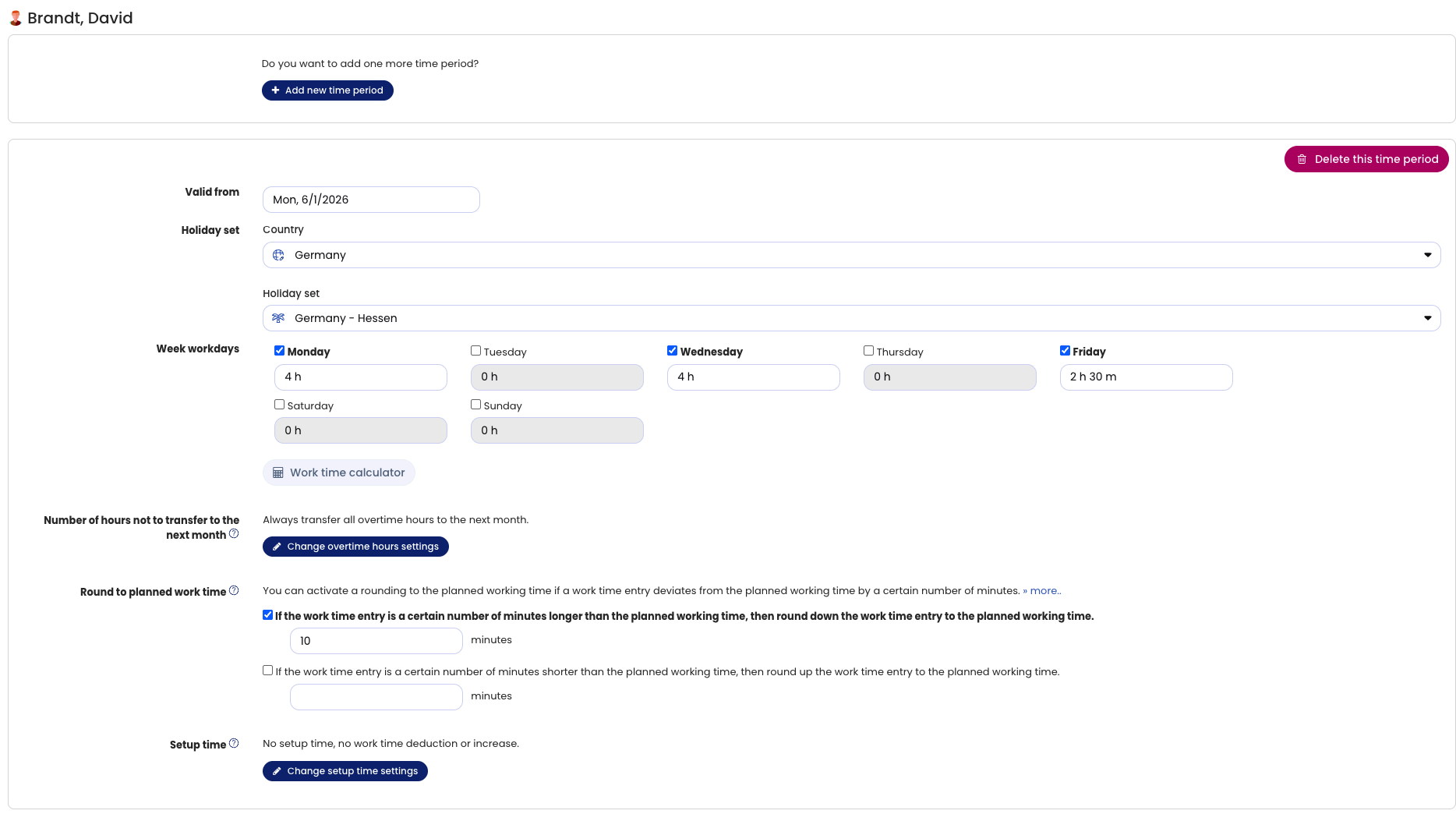
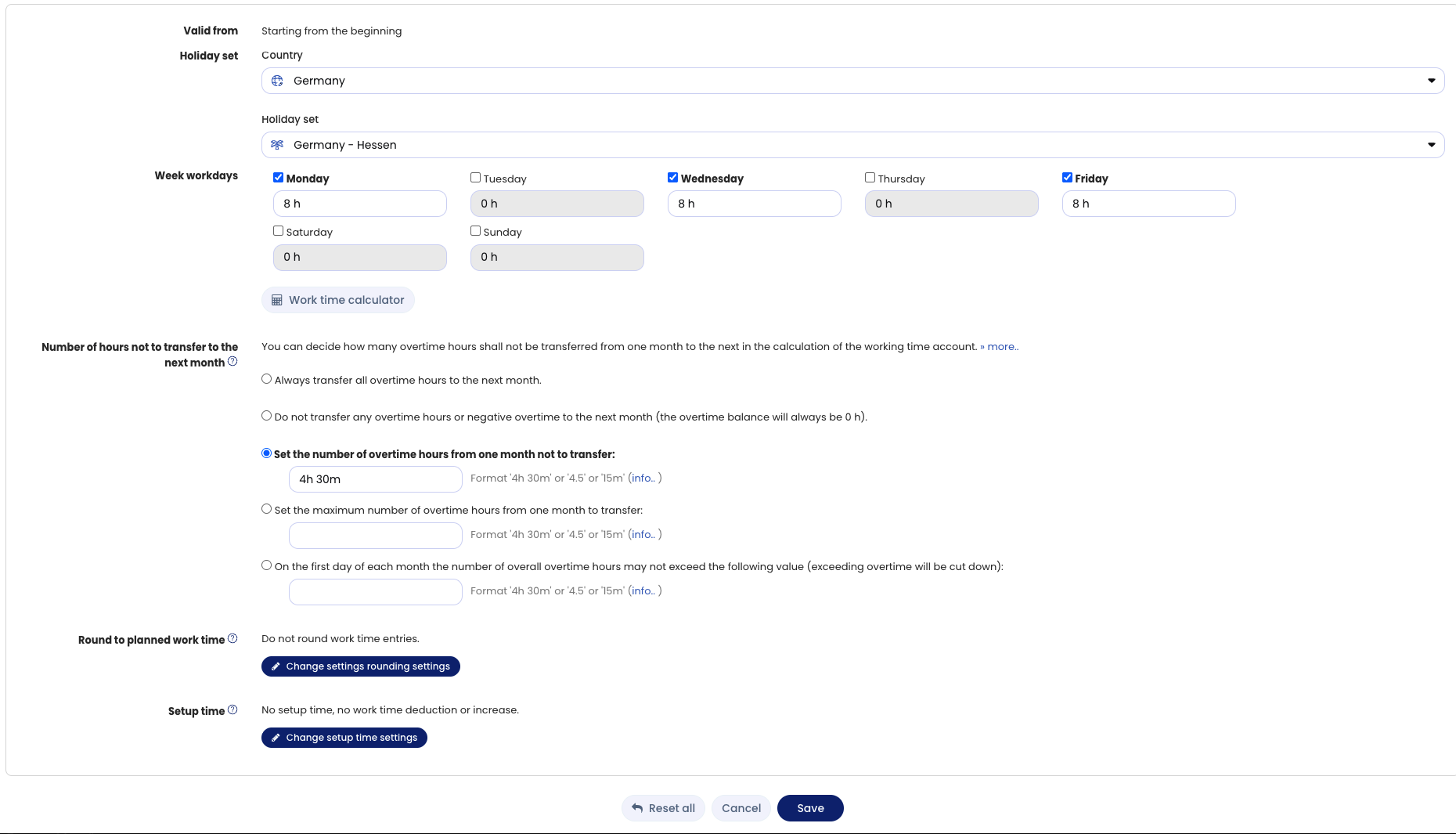
The working time model combines the following settings:
- Weekly working days on which the employee works
- Target working time for each weekday
- Public holiday rule that applies to the employee
- Settings for handling overtime and working time:
An employee’s settings for the working time model
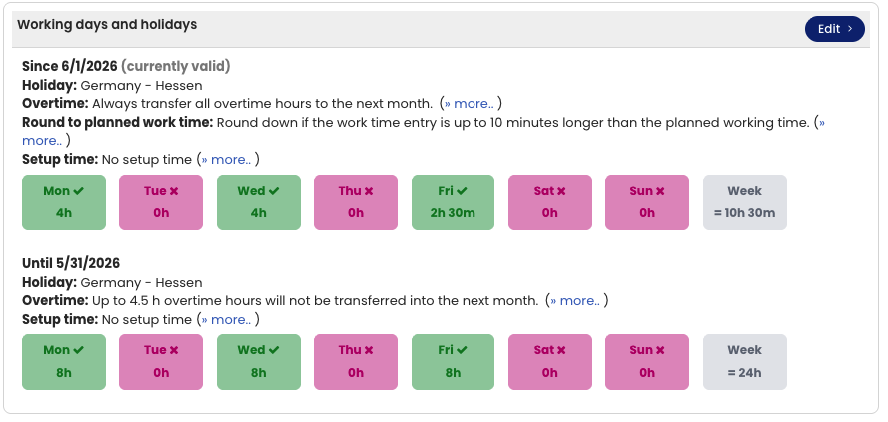
View the current working time model
In the detail view of a user account, you can see which settings are active for the employee.
To view the settings for all employees on one page, proceed as described below under “Editing the working time model”.
Editing the working time model
You can change all working time model settings as follows: log in to Timebutler as an admin and click Settings > Working days at the bottom left. The far-right column shows the employee’s weekly working days and all other settings. To edit the settings, click the blue Edit button for the desired employee.
Notes
Change the working time model as of a specific date Read here how to proceed when the working time model settings change from a specific month.
Bulk change If you want to change the working time model for many employees, use the bulk change of working time models.
Alternating weekly working days Read here how to proceed with alternating working days, for example when an employee works Monday to Thursday one week and Tuesday to Friday the next.
Weekly or monthly target working time In the settings for weekly working days, you can set the target working time for each weekday from Monday to Sunday. Read here how to proceed when an employee does not have daily target working times, but a weekly or monthly target working time.
Screenshot: Overview of working days and working time models
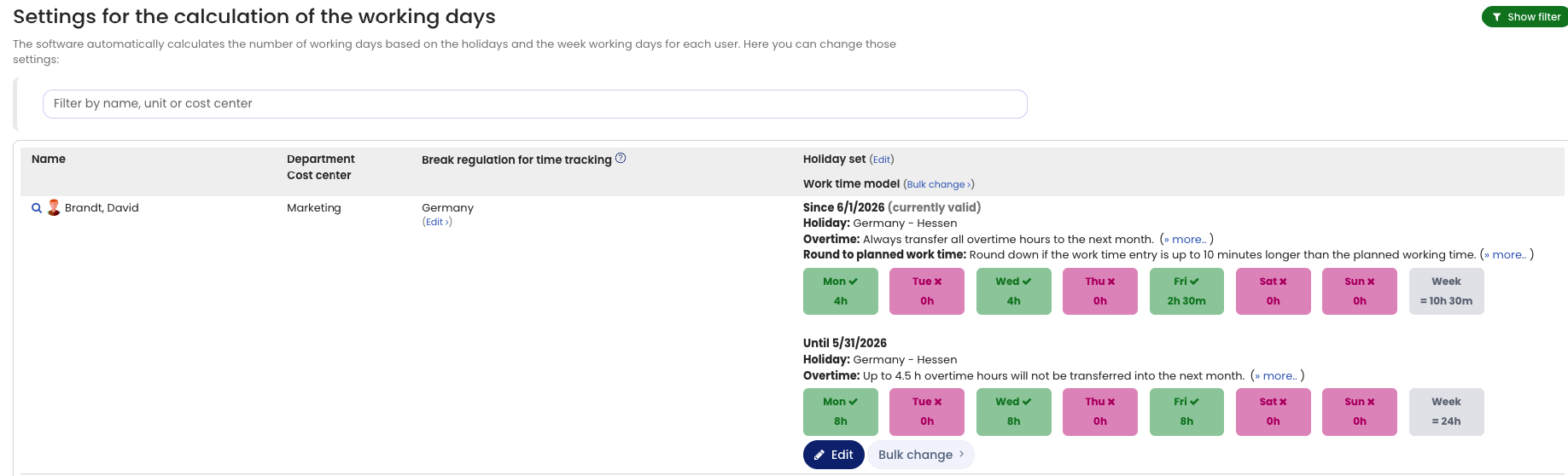
Screenshot: Edit working days and working time models