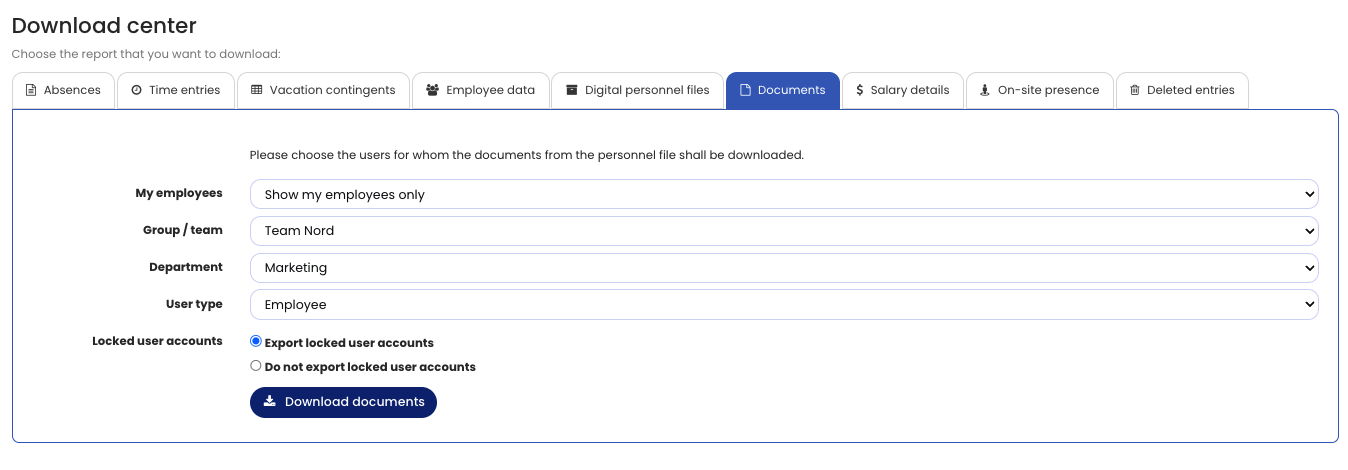
The Download Center allows you to conveniently download the documents stored in the personnel files, including documents for a large number of users.
To download the documents, sign in to Timebutler as an admin or supervisor, click “Reports” on the left, then click “Download Center” below. Then click the “Documents” tab.
Please note:
The Download Center is always available to admin users. Supervisors can access the Download Center only if admins have enabled access for them. Employee users do not have access to the Download Center.
Screenshot: Download documents from the personnel file