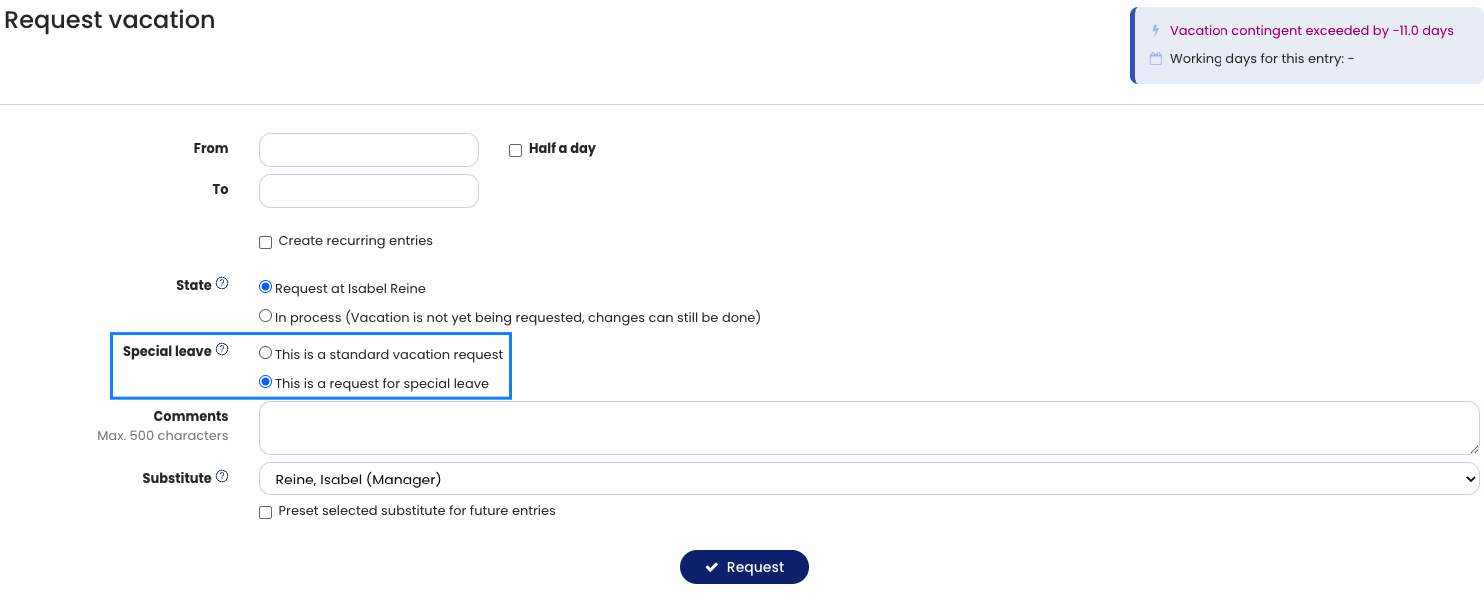
Special leave is deducted from the employee’s vacation account. In return, HR (Admin) increases the employee’s special leave contingent by the same number of days so that the vacation account remains balanced.
The procedure for special leave is as follows:
1. Employee informs about special leave
A special leave case has occurred or will occur in the near future, for example your own wedding or the birth of your own child. The employee now informs their manager or HR.
2. Employee receives special leave credit
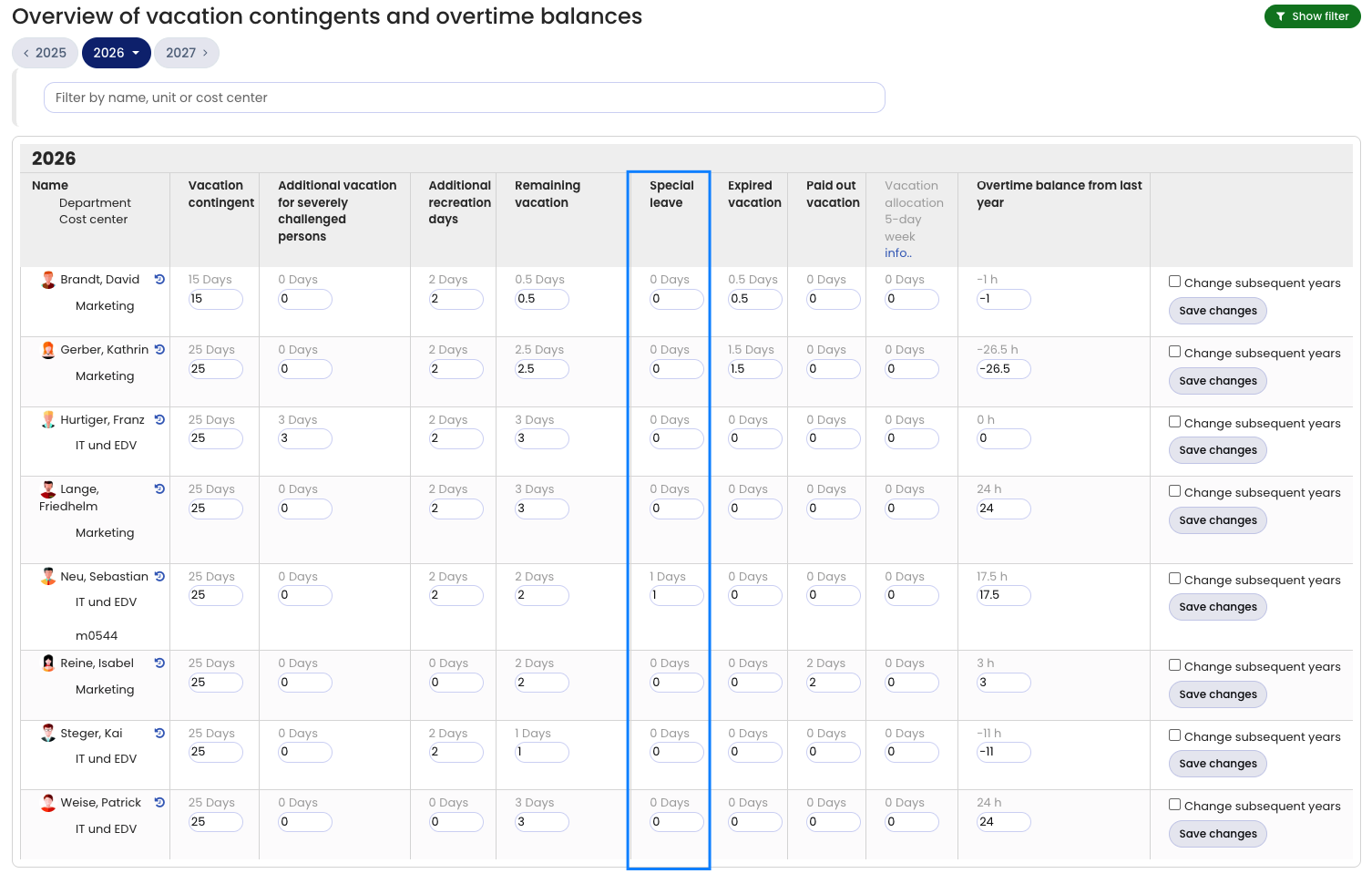
HR records the granted special leave in the employee’s vacation contingent as follows: sign in to Timebutler as an admin and go to Settings > Vacation contingent at the bottom left. For the desired employee, increase the value in the Special leave column by the number of days. For example, if you want to add 2 special leave days and the column shows 1, change the number to 3 and save the change.
3. Employee requests special leave
The employee’s total vacation contingent has now increased by this number of days. Next, the employee submits a new leave request and selects the option This is a special leave. Timebutler requires an entry in the remarks field for special leave.
4. Manager approves special leave
The manager now approves the leave request, so the days are deducted from the vacation account again. After the leave request is approved, the employee has the special leave approved and again has the same vacation contingent as before applying.
If step 2 described above was forgotten, where an admin increases the special leave contingent, that’s not a problem. You can also enter the contingent after the special leave has been requested and approved.
Enter special leave credit
Screenshot: Request special leave