
If an employee has a negative vacation balance and wants to top up the vacation account by waiving salary—or if the employee waives salary to receive more vacation days—follow these steps:
1. Pay reduced salary
Independent of Timebutler, pay the employee less salary in the affected month to offset the increase in vacation contingent. Calculate the prorated salary waiver and pay the employee accordingly less salary.
2. Increase the vacation contingent
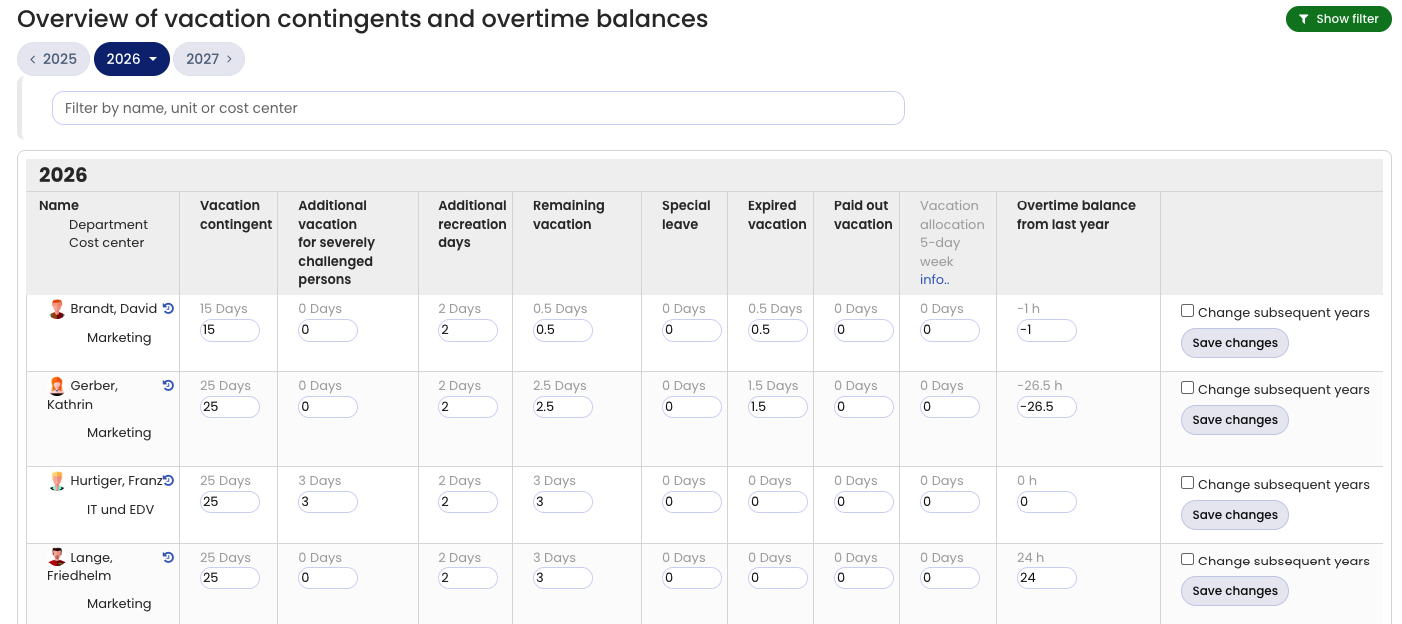
Sign in to Timebutler as an admin and go to Settings > Vacation contingent at the bottom left. In the Vacation contingent column, increase the value by the number of days that were deducted from salary. Then click the Save changes button on the right. The employee receives the days credited to their working time account immediately.
Example:
You deducted the equivalent of 2 vacation days from employee Huber’s salary payment. In the Vacation contingent input form, Huber has 25 days of vacation contingent. The admin changes 25 to 27 and saves the change.
Read here how to handle the opposite case: Pay out vacation.