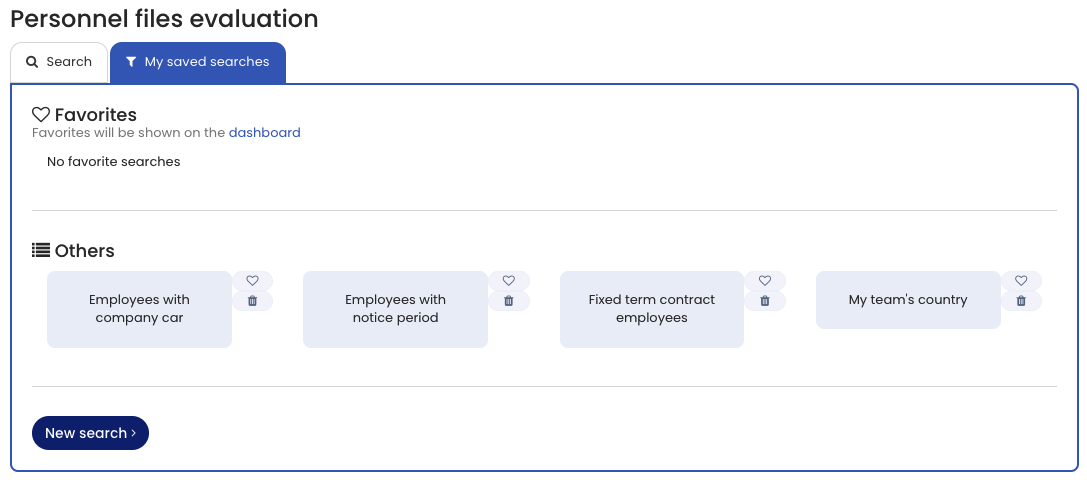
Use the Personnel file analysis to search and analyze employees’ personnel files.
Many analyses are needed regularly, for example:
- Employees whose probation period ends soon
- Employees with an upcoming medical examination
To avoid recreating filter criteria each time, you can save searches and run them again with one click.
Save a Search
- Open the Personnel file analysis.
- Define the required filter criteria.
- Click Show to run the analysis.
- Click Save search.
- Enter a name for the search and confirm.
The search is now saved.
Run a Saved Search
- Open the Personnel file analysis.
- Open the My saved searches tab.
- Click the desired search to run the analysis.
To delete a saved search:
- Click the trash can icon next to the saved search.
Saved searches are personal. Other users cannot see your saved searches.
Favorites
You can mark saved searches as favorites.
Favorites appear on the dashboard and allow you to start the analysis directly with one click.
For more details, see Search favorites on the dashboard.
Screenshot