Timebutler intentionally does not carry over remaining leave to the next year fully automatically, among other reasons because companies sometimes want to edit the remaining leave value manually.
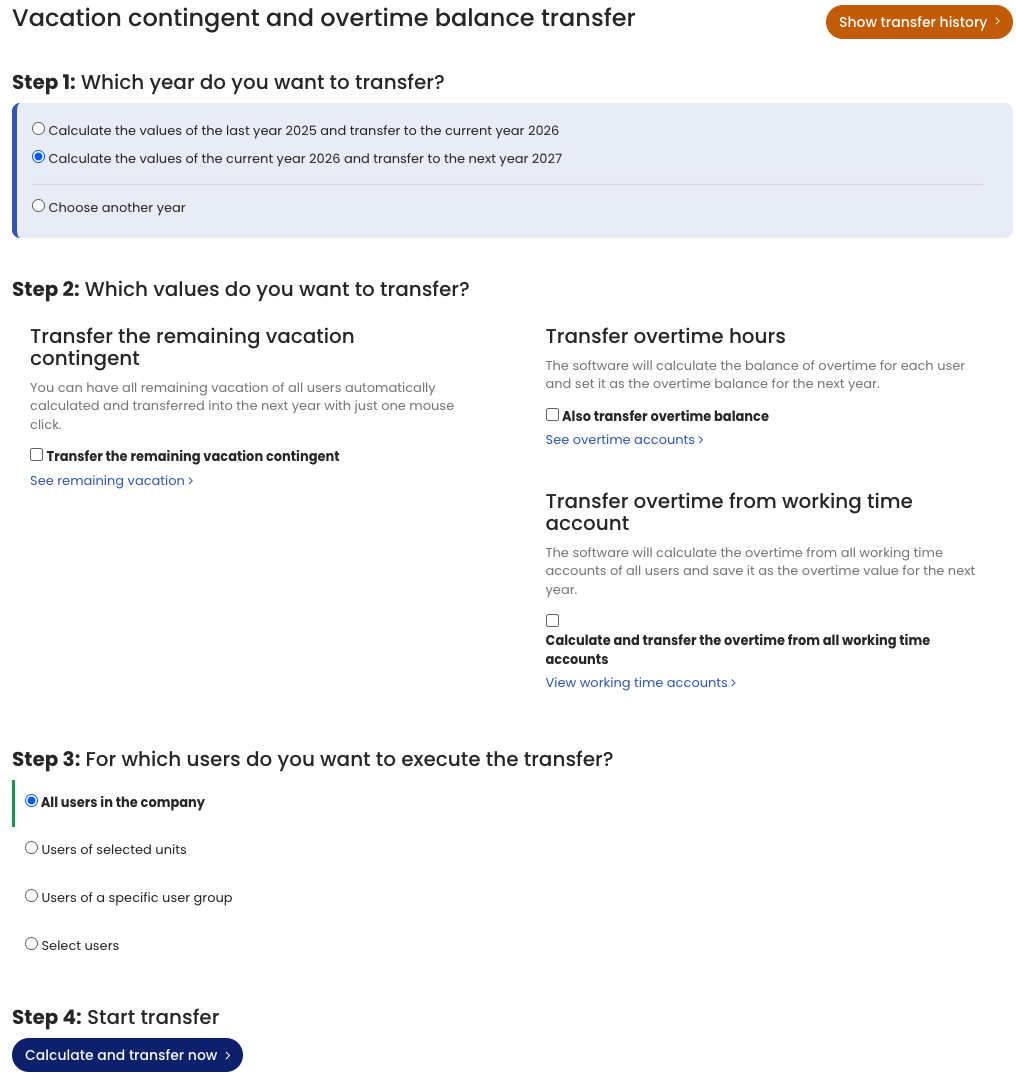
An Admin can carry over remaining leave for all employees with just a few clicks and does not need to laboriously calculate and enter it manually.
- Sign in as an Admin.
- Go to Settings > More… > Vacation contingent and overtime balance transfer (Settings is at the bottom left; the option is on the right).
You can run the carryover as often as you like. Run it in November or December, and in any case again at the start of the year once vacation planning for the previous year is complete. Timebutler automatically reminds you about the carryover at the beginning of the year.
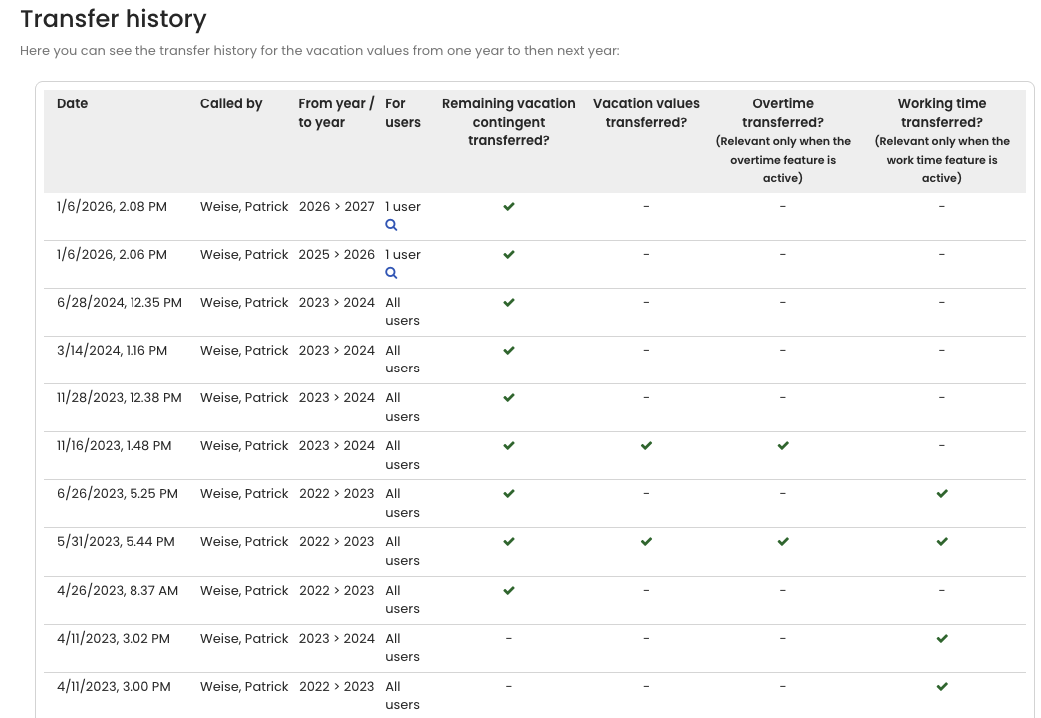
Carryover history
An Admin can check at any time when the carryovers of remaining leave were executed.
- Sign in as an Admin.
- Go to Settings > More… > Vacation contingent and overtime balance transfer (Settings is at the bottom left; the option is on the right).
- Click the Show transfer history button at the top right of the page.
Screenshot of the selection for carrying over remaining leave
Screenshot of the carryover history