Timebutler’s API V2 is a modern interface that fully replaces the previous version. Use it to connect Timebutler with the tools your organisation already relies on: payroll providers, ERP systems, HR software, or internal workflow automation.
The API V2 supports the following, among other things:
- Retrieve employee data and records from the Digital Personnel File
- Retrieve absence entries, working time records, and vacation balances
- Control the virtual time clock, import working time, or integrate third-party hardware terminals
- Query and synchronise projects, activities, and Shift Planning data
- Export preliminary salary data
Your developer will need a client application and the API’s technical documentation to get started. The API follows the OpenAPI standard, which means integration is straightforward and most developers can get up and running within minutes. The API technical documentation covers all available endpoints and authentication details.
Activate the API and manage tokens
Administrators can activate or deactivate the API V2 at any time from the account settings. Access to sensitive areas — such as salary data or the Digital Personnel File — can be permitted or restricted independently of the general API activation.
Unlike the previous version, API V2 uses personal API tokens (Personal Tokens) tied to individual user accounts rather than a single global password. This gives you finer control over who can access the API and makes it easy to revoke access for a specific user without affecting others.
To activate the API and create a token:
- Log in as an administrator.
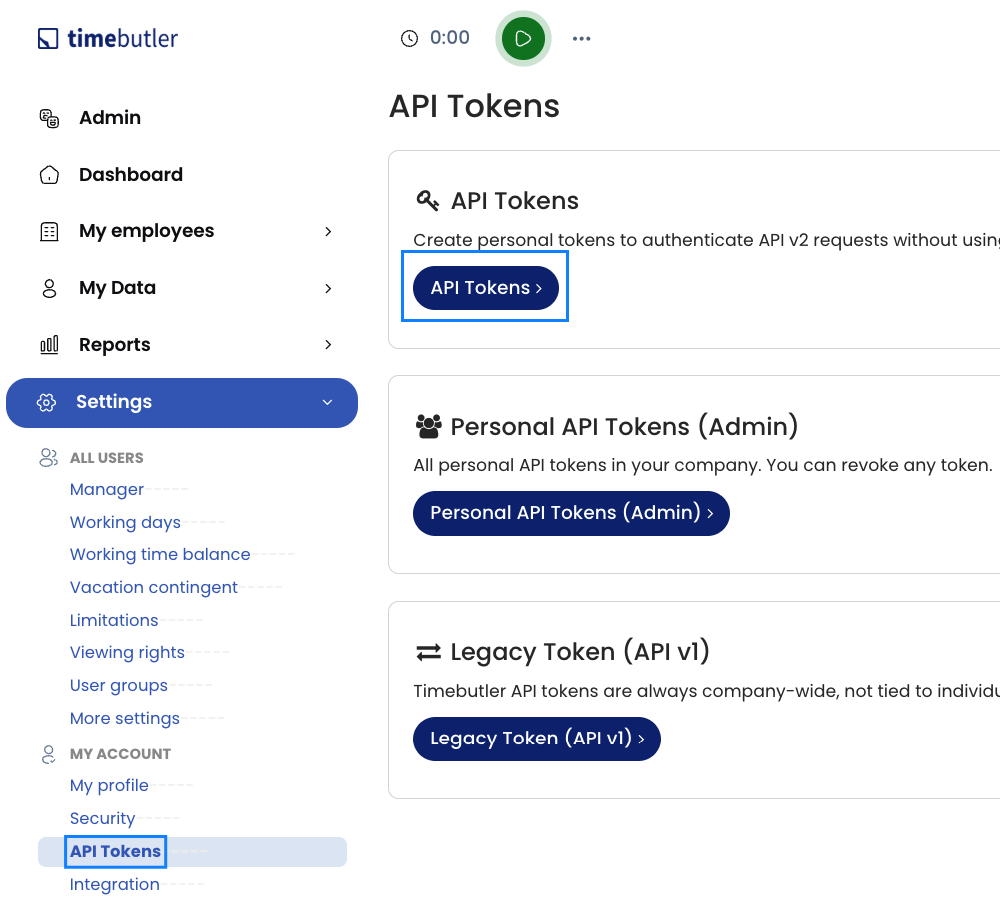
- Go to
Settings>My account>API tokens>API tokens. - Give the token a clear, descriptive name — for example, “ERP integration”.
- Copy the token immediately and store it in a secure location. It will not be shown in plain text again after you leave the page.
Every API request is logged in an audit-proof manner (access logging). As an administrator, you have a full record of which data was accessed and when. You or the user can revoke an API token at any time. Revocation takes effect immediately — any further requests using that token will be blocked.