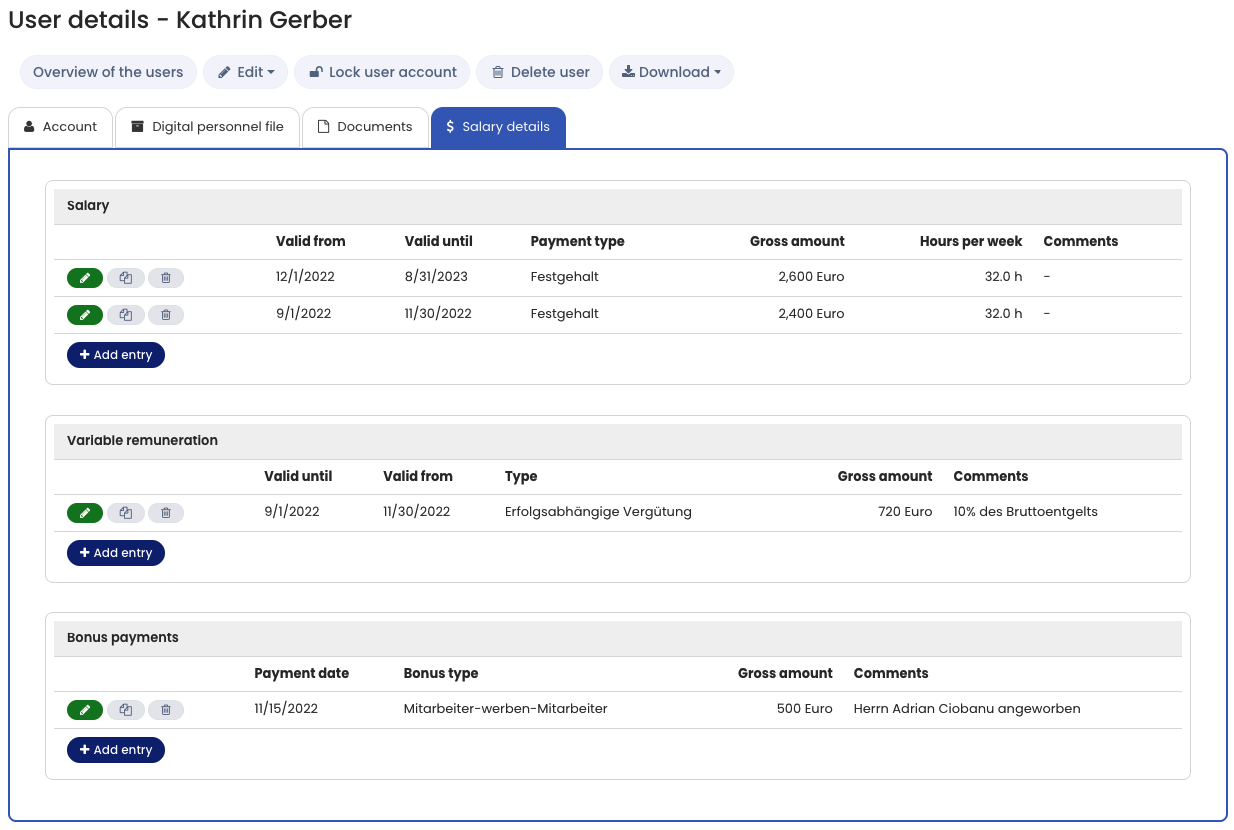
In addition to the Digital Personnel File, you can manage Salary information, variable compensation, and bonus payments for each employee.
You can:
- Record salary data for different periods
- Record variable payments for different periods
- Add multiple bonus payments for different dates
Monthly or Annual Gross Amount
When entering the gross amount, you can choose between:
- Monthly amount
- Annual amount
Companies typically use either monthly or annual figures. You should use the same option consistently for all employees.
This ensures:
- Comparability across employees
- The ability to filter and search by amount when downloading salary data
Enable or Disable Salary Data
You can activate or deactivate salary data in the settings of the Digital Personnel File:
Activate the Digital Personnel File
Foreign Currencies
For employees working abroad, dozens of currencies are available.
- Exchange rates are updated daily using data from the European Central Bank.
- Salaries and bonus payments can be filtered and compared by amount when downloading the data.
Permissions
Use the Viewing and editing permissions
to define who may view and edit salary data.
Example