
For each employee, you can enter the date of birth and the start date. Timebutler automatically calculates upcoming birthdays and company anniversaries and informs you about upcoming dates.
Read here how to enter birthdays and start dates.
Dashboard
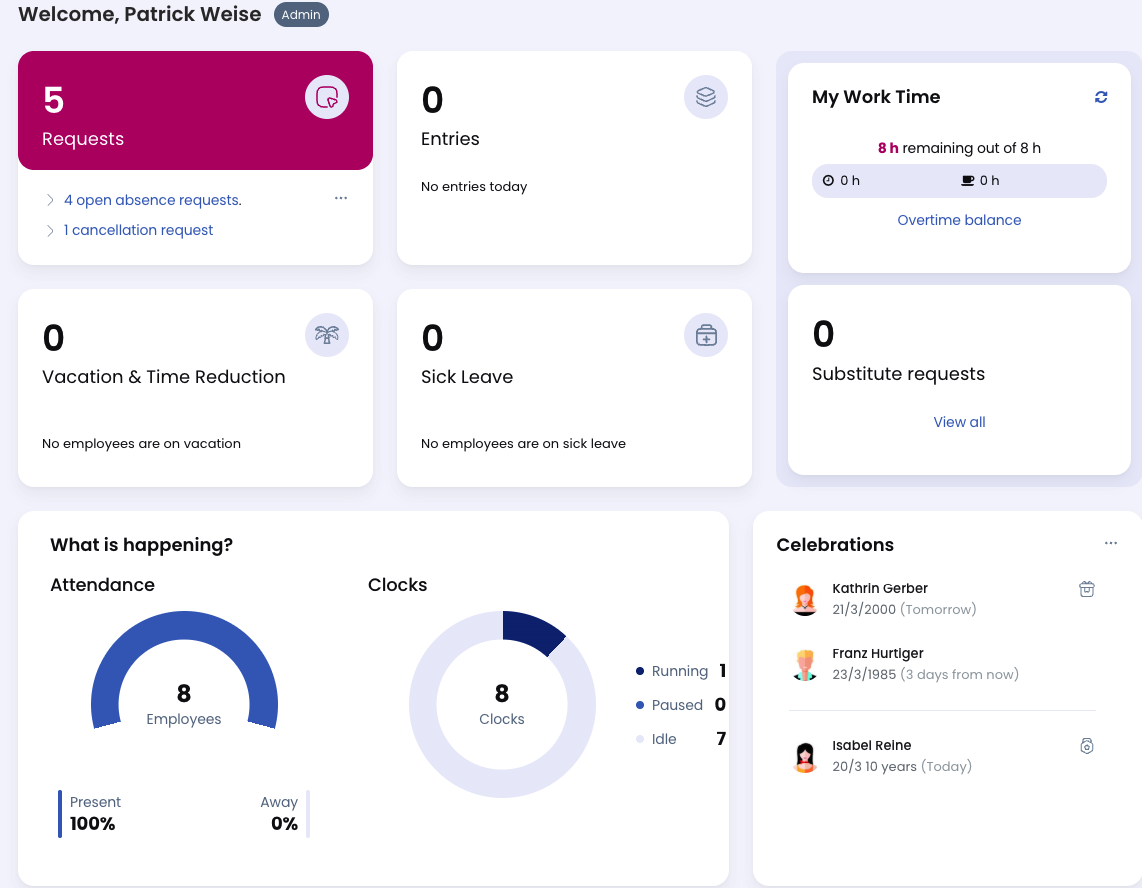
On the dashboard (the start page after logging in), Admins and Managers see upcoming birthdays and company anniversaries for employees they have viewing rights for.
Employee users do not see birthdays or company anniversaries on the dashboard.
In the birthdays and company anniversaries widget, a gear icon is displayed in the top-right corner. Click it to define how many days into the future and past should be shown on the dashboard.
Calendar
In the calendar, birthdays and company anniversaries are displayed for Admins and Managers using:
- A gift icon for birthdays
- A trophy icon for company anniversaries
When you move the mouse over the calendar day, additional information is shown in a small pop-up window.
An Admin can define whether Employee users should also see birthdays and company anniversaries in the calendar.
In that case, birthdays are displayed without the year (for example, Birthday on 5 March), because many employees do not want their year of birth and therefore their age to be visible.
To change this setting, use the option Employees see colleagues’ birthdays and company anniversaries in
Global settings.
Screenshot
Birthdays and company anniversaries on the dashboard
List View and Download
You can also download birthdays and company anniversaries as a list.
All Anniversaries and Birthdays Are Displayed
Timebutler displays birthdays and company anniversaries for all years as described above.
Subscribe in External Calendars
You can subscribe to the Timebutler calendar in an external calendar so that absence entries are transferred automatically and displayed there.
When subscribing to the Timebutler calendar in an external calendar, you can choose whether birthdays and company anniversaries should also be transferred.
They are displayed in the external calendar as follows:
-
Birthdays
Yearly recurring entry on the day and month of the birthday. The recurring entry always starts 10 years in the past and not in the employee’s year of birth, so that information about the employee’s age is not transferred to external systems. -
Company anniversaries
Yearly recurring entry on the day and month of the employee’s first day in the company, starting from the year in which the employee joined the company.
Only for Team Calendars
The option to transfer birthdays and company anniversaries is only available if:
- A Manager synchronizes the entries of their team, or
- An Admin synchronizes the entries of their team or of all employees
If you subscribe only to your own calendar, your own birthday and company anniversary are not transferred.