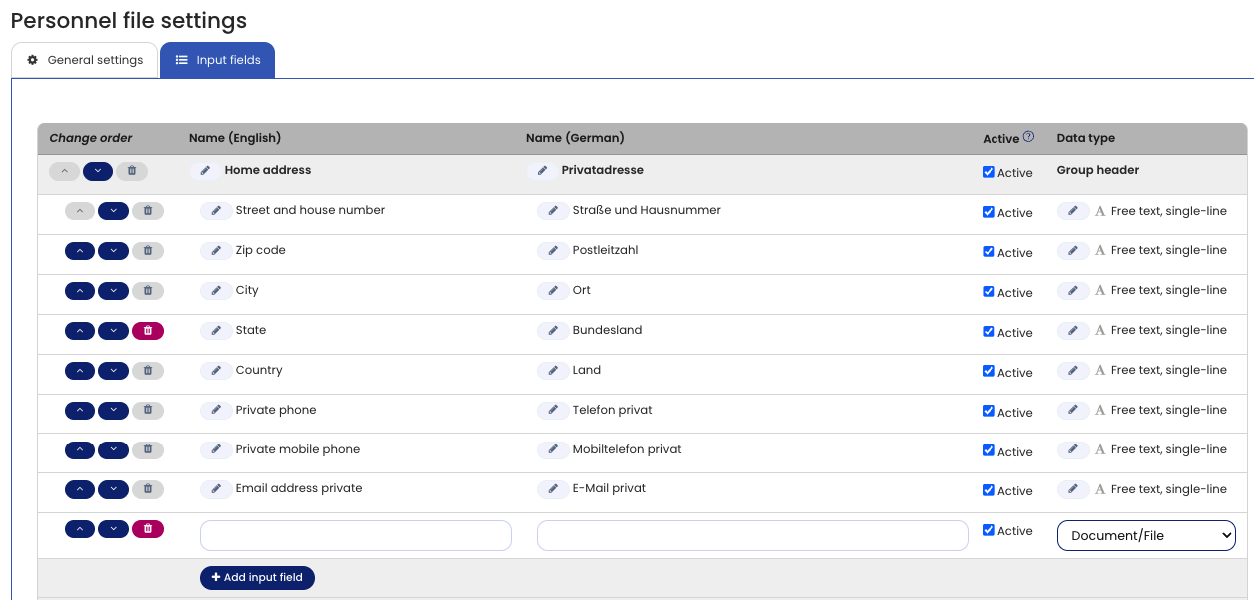
You can customize the Digital Personnel File to match your company’s requirements by defining groups and fields.
This allows you to store and evaluate exactly the data that is relevant for your organization.
You can also store up to 100 documents per employee, for example:
- Employment contracts
- Additional agreements
- Other personnel-related documents
Create a Document Field
To upload documents, you must first define the corresponding field.
- Log in to Timebutler as an Admin.
- Go to Settings > More Settings > Digital Personnel File.
- Open the Input Fields tab.
- Click Edit.
- Create a new field in the desired group.
- Select Document / File as the field type.
- Save your changes.
Once the field is created, documents can be uploaded in the Digital Personnel File.
Screenshot
Add new document field