With Timebutler, you can create and manage any number of absence types to match your organization’s requirements.
After logging in, commonly used absence types such as vacation, sick leave, training, business trip, and others are already available. You can extend or modify this list at any time to define which absence types your employees are allowed to create and manage.
Settings for absence types
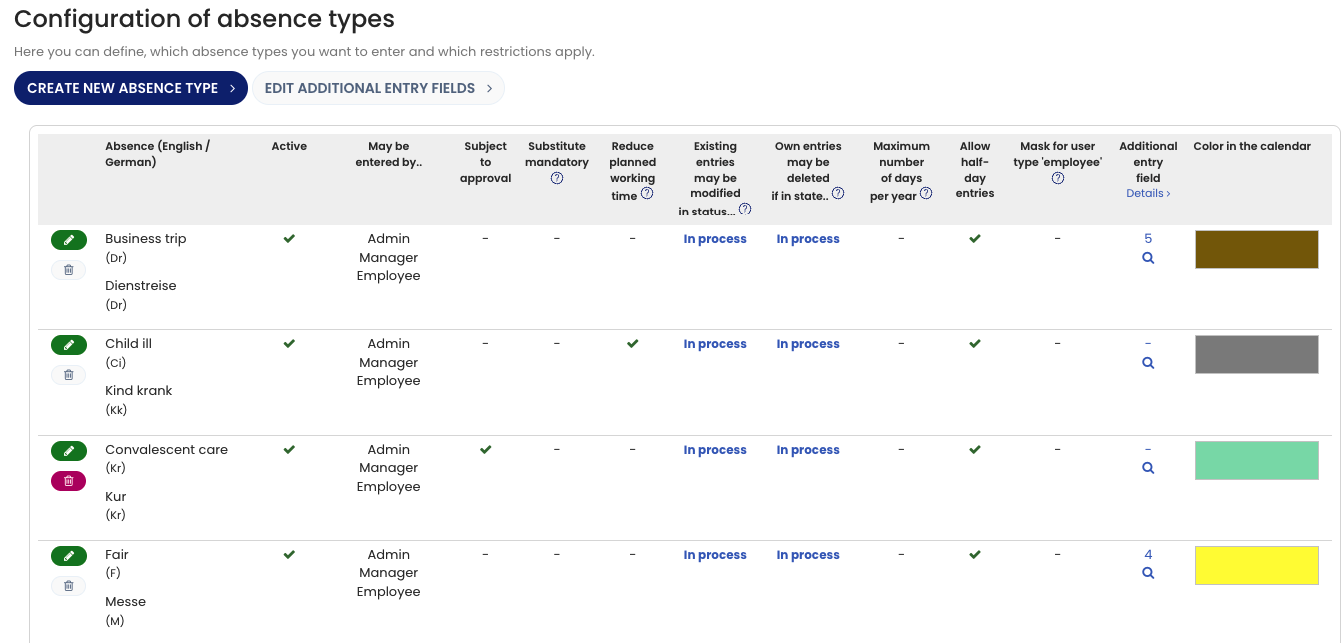
Each absence type can be configured with a wide range of settings, including:
- Whether the absence type requires approval
- A short code and color used in the calendar view
- A yearly limit per employee
- Whether selecting a substitute is mandatory
- Whether the absence type is masked for employees
- Creation, editing, and deletion permissions for different user roles
- Additional configuration options
Viewing Absence Types
To view the list of all absence types and their corresponding settings:
- Log in to Timebutler as an admin.
- Click “Settings > More…” in the lower-left corner.
- Select “Absence types.”
Screenshot: Absence types overview