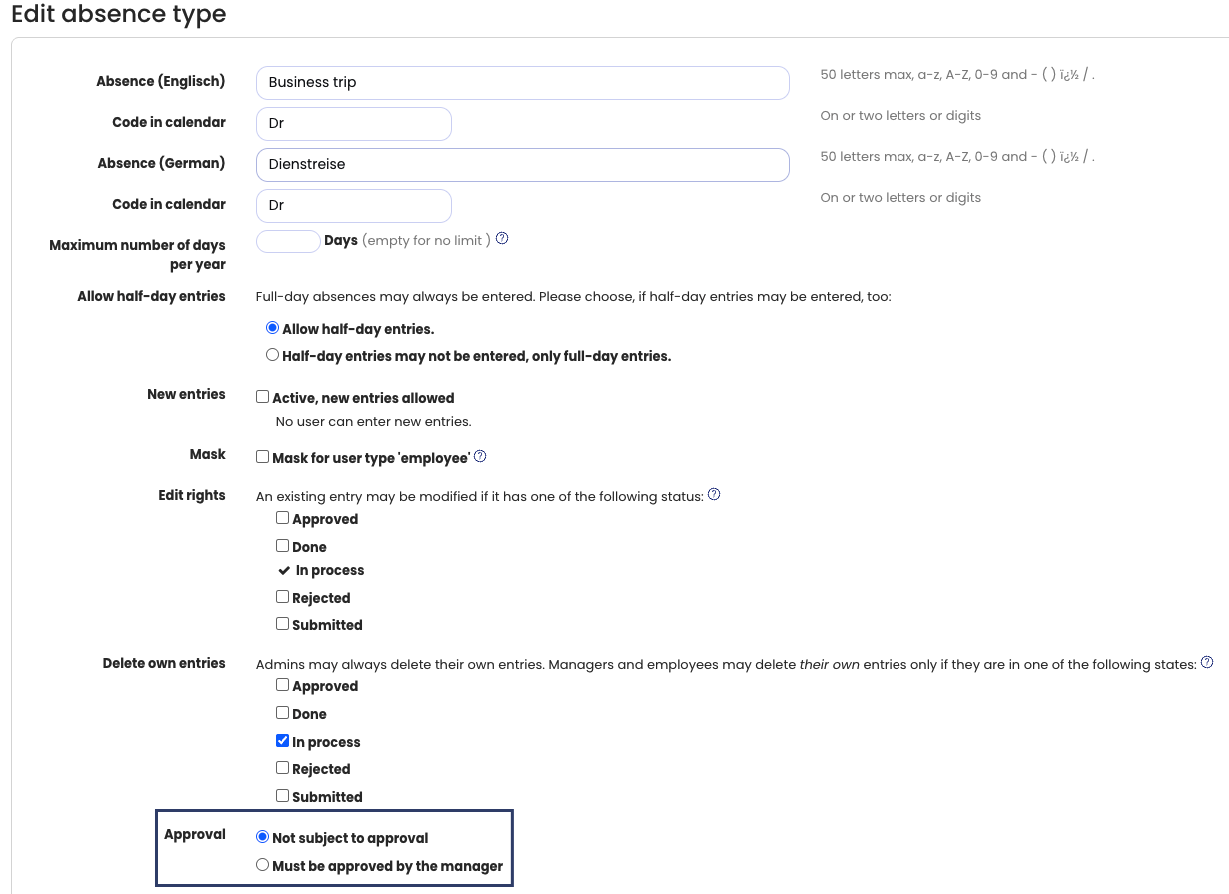
An admin can define for each absence type (for example, training, home office, business trip, etc.) whether it requires approval or not. This setting can also be applied to vacation.
Viewing Approval Requirements
- Log in to Timebutler as an admin.
- Click Settings > More… in the lower-left corner.
- Select Absence types.
- In the Approval required column, you can see which absence types require approval and which do not.
Changing the Approval Requirement
- In the row of the relevant absence type, click the green pencil icon (Edit).
- Change the Approval setting.
- Click Save at the bottom of the page.
When the Change Takes Effect
The change applies immediately to new absence entries.
Existing absence entries remain approval-required or not approval-required based on the setting that was active at the time the absence entry was created.
Screenshot: Set vacation to not require approval