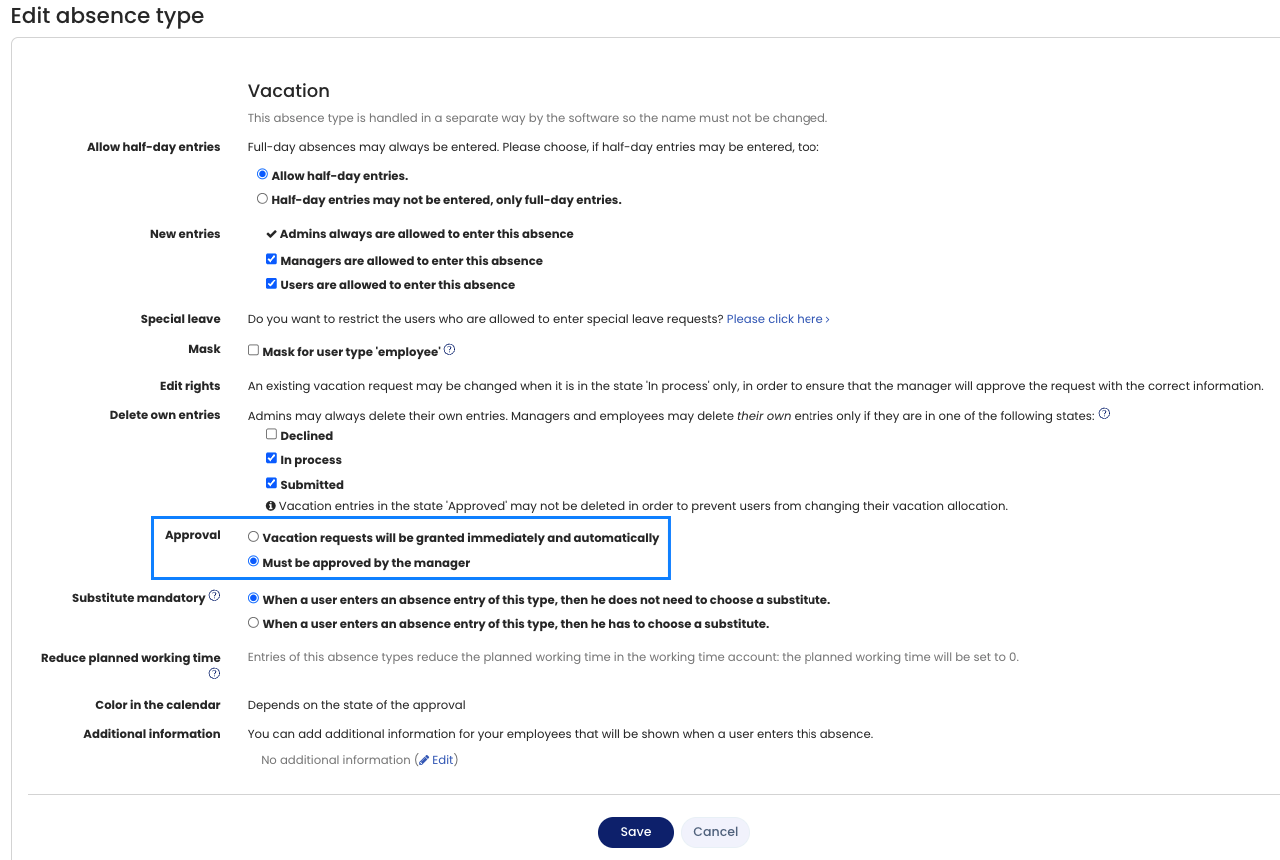
In some companies, employees may enter vacation at their own discretion, without their manager having to approve the requests.
You can configure this setting in Timebutler as follows:
Sign in to Timebutler as an admin and click Settings > More… at the bottom left, then Absence types on the right. In the row for Vacation (in some cases Annual vacation), click the green button with the pencil on the left (= Edit). Check or change the Approval setting, then click the Save button at the bottom.
The change takes effect immediately for new vacation requests. Existing vacation requests that are still in the Requested status remain in this status, and the manager still needs to approve them.
Screenshot: Set vacation as not subject to approval