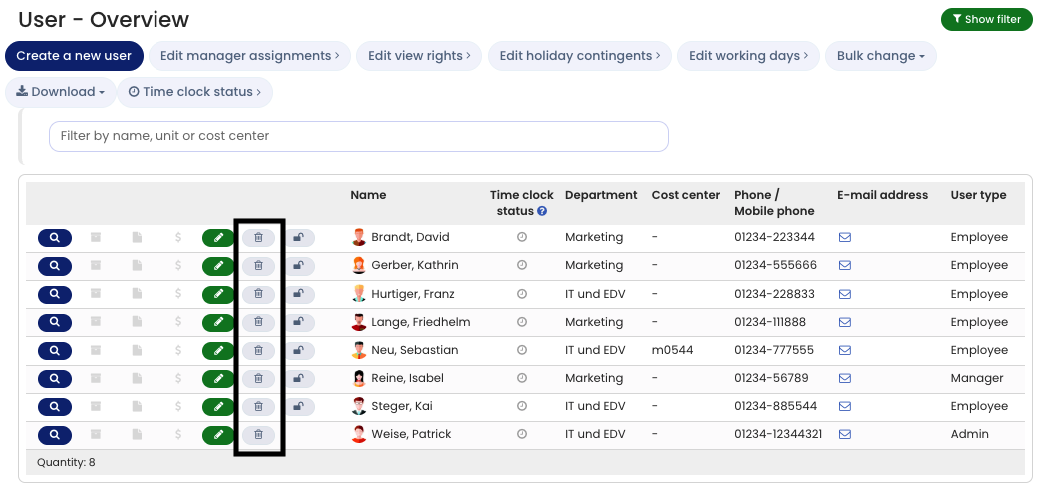
To delete a user account, do the following:
Sign in to Timebutler as an admin and click Employees in the top left, then Overview below the small Employees label. For the relevant user account, click the red trash can icon. On the next page, confirm the deletion.
Permanent deletion
For data protection reasons, Timebutler deletes the data irreversibly. This includes the user account and all of the user’s records, such as absence entries, overtime and working time entries, vacation entitlement data, edit history, user settings, and so on.If you still need the data, download it via the Download Center before deleting. Instead of deleting the data, you can also suspend the user account.
If you deleted a user account by mistake, in exceptional cases and within a limited period after deletion we can restore a deleted user account.
Screenshot: Delete user account