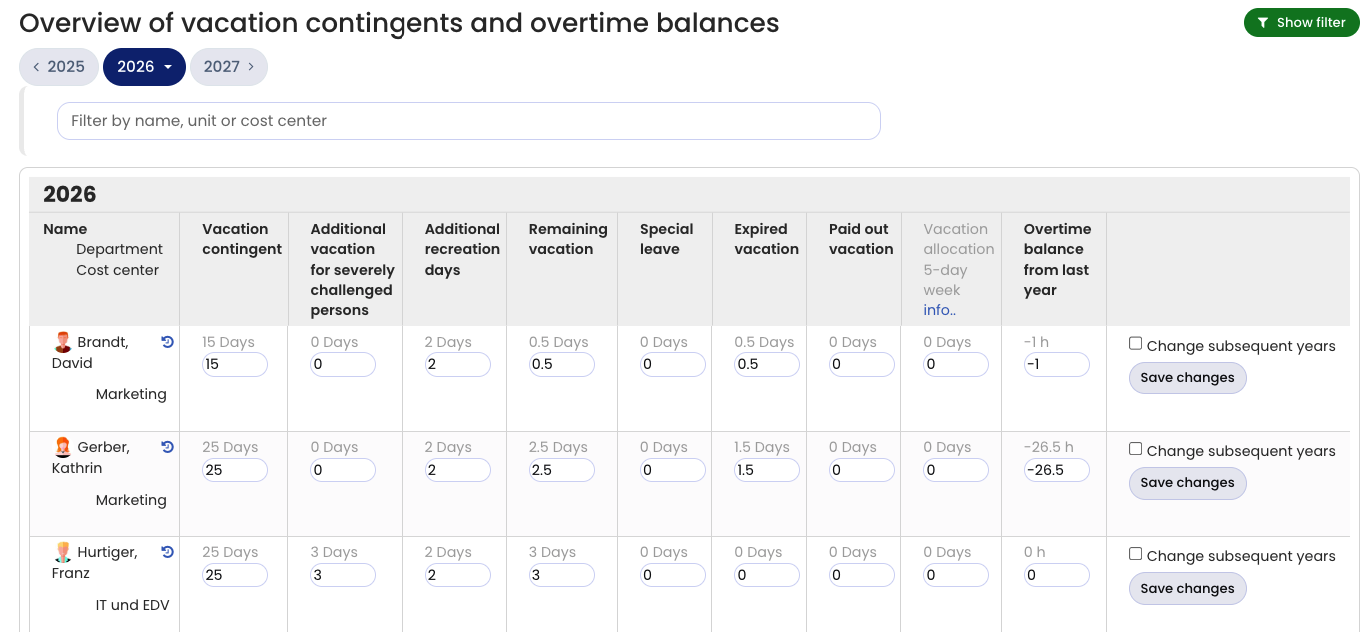
Timebutler maintains a leave account for each employee and each calendar year.
You can change the vacation contingent values at any time as follows:
Sign in to Timebutler as an admin and go to Settings > Vacation contingent at the bottom left. Here you can change the values in the different columns and save.
If you want to change the values for a year other than the current year, click one of the buttons with the calendar year at the top of the page to switch to the desired year.
Carryover to subsequent years
Timebutler intentionally does not automatically carry over remaining leave from one calendar year to the next. You can trigger this with just a few clicks. Learn here how to carry over remaining leave to the next year.
Additional entitlement types
The leave account contains various vacation contingent types, for example vacation contingent, remaining leave, and special leave. In addition, you can enable up to two more vacation contingent types: Severely disabled persons’ leave and any additional vacation contingent type, whose name you can set as you like.
Screenshot: Edit screen for vacation contingent