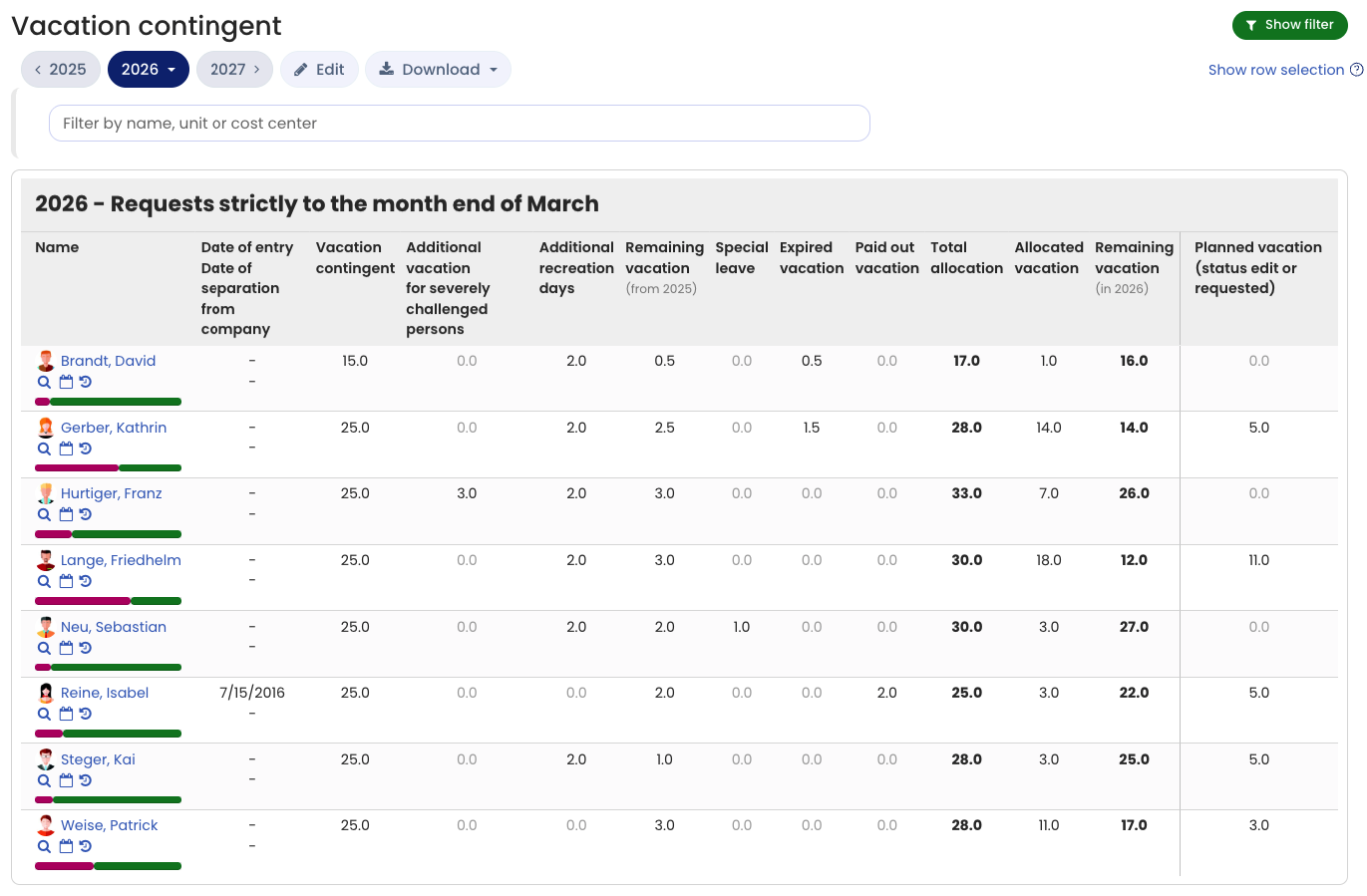
There is intentionally no automatic expiration of remaining vacation, among other reasons because companies handle this differently: in some companies, remaining vacation expires at the end of March, others grant longer periods or do not allow any carryover of remaining vacation beyond December. Other companies allow individual employees or departments longer periods, etc.
You can, however, determine expired vacation semi-automatically as described below.
Example of remaining vacation expiring on March 31
After March 31, sign in as an admin. You don’t have to do this on April 1; you can also do it later in April or even May. Now go to Employees > Absences > Vacation contingent in the top left. Click the green button for the filter at the top right, change the All vacation requests option to Requests by month up to end of March, and click the Apply button to apply the filter.
The page reloads, and the vacation contingent then shows only the vacation requests with a start date up to the end of March. In the Remaining vacation column, you now see for each employee how many remaining vacation days they carried over from last year. In the Approved vacation column, you see how many vacation days the sum of vacation requests with a start date from January through March amounts to (in other words: the number of vacation days the employee took during that period). Now you only need to compare the two numbers from the Remaining vacation and Approved vacation columns: for employees where the number of approved vacation days is less than the remaining vacation, the employee took fewer vacation days by March than they had remaining. The difference is the number of expired days.
Two examples:
- An employee has 5 days of remaining vacation and 12 days of approved vacation: no remaining vacation expires for this employee, because they used more than the 5 days of remaining vacation by the end of March.
- An employee has 5 days of remaining vacation and 3 days of approved vacation: 2 vacation days expire for this employee, because by the end of March they only took 3 of the 5 days of remaining vacation.
Repeat this for each employee to identify the (few) employees whose vacation days have expired. This is usually very few or none, since employees naturally make sure no vacation expires. Once you’ve identified the affected employees and their number of expired days, go to Settings > Vacation contingent at the bottom left. For the affected employees, enter the number you determined earlier in the Expired vacation column and save the change.
Timebutler then automatically recalculates the employees’ vacation contingent and immediately deducts the expired vacation from the vacation balance.