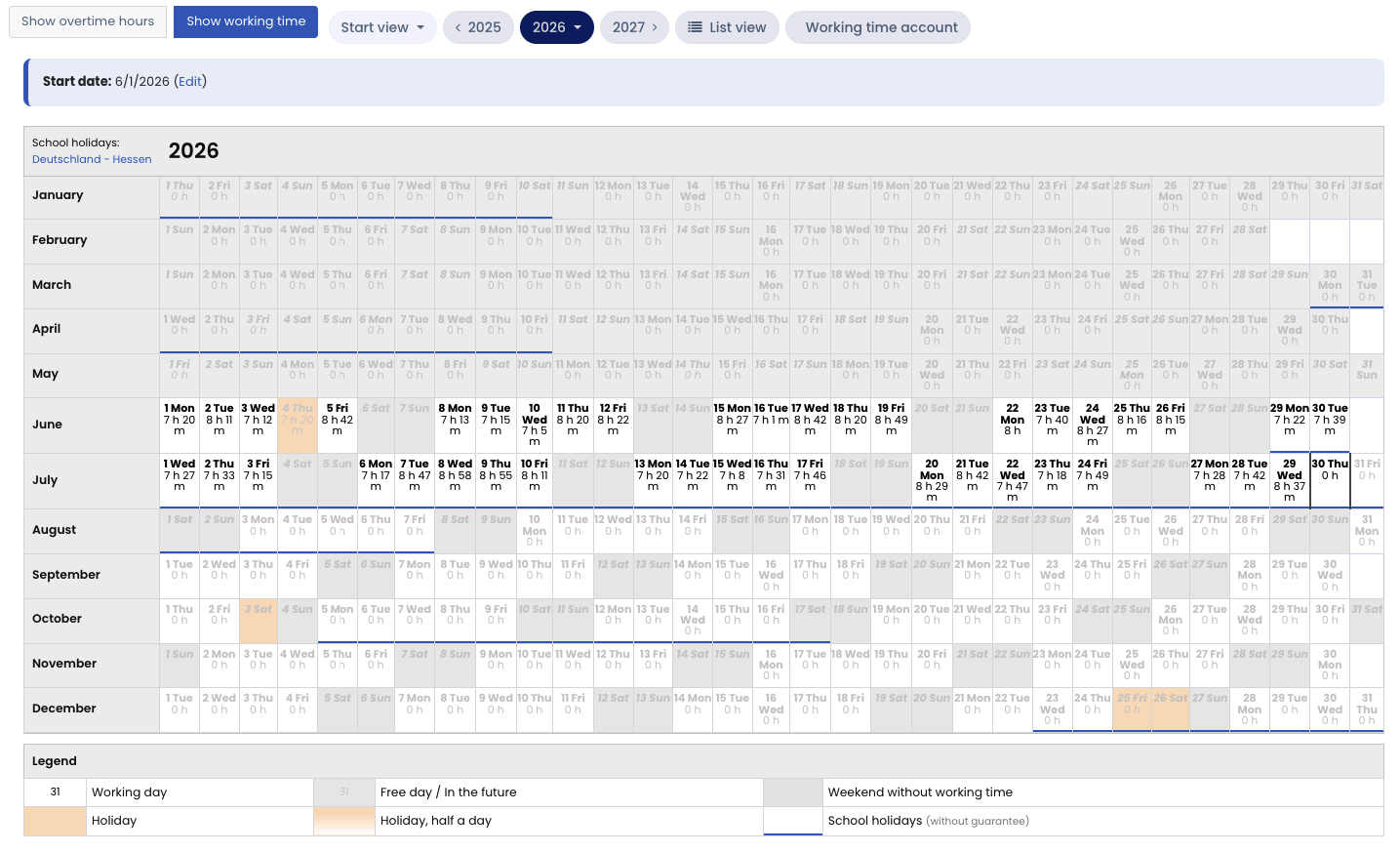
In the calendar view of time entries, there are two views: the calendar view of overtime and the calendar view of working time. You switch views with the two buttons above the calendar (see the note further down this page).
In the calendar view of working time, the calendar shows the total of the time entries for each day. If daily setup times or rounding of working time is enabled, the corresponding deductions or increases in working time are already included in the figures.
Show additional information When you hover over the calendar with the mouse, you get additional information about overtime for each calendar day. When you click a day in the calendar, you see the time entries for the day.
Note: An admin can define for the user types Employee, Manager, and Admin whether the overtime view is available in the calendar view of time entries. If you do not see the button to switch to the overtime view, an admin has disabled this option for your user type.